Prolonging Smart Device Lifespan: 2026 Maintenance Tips to Save 20%
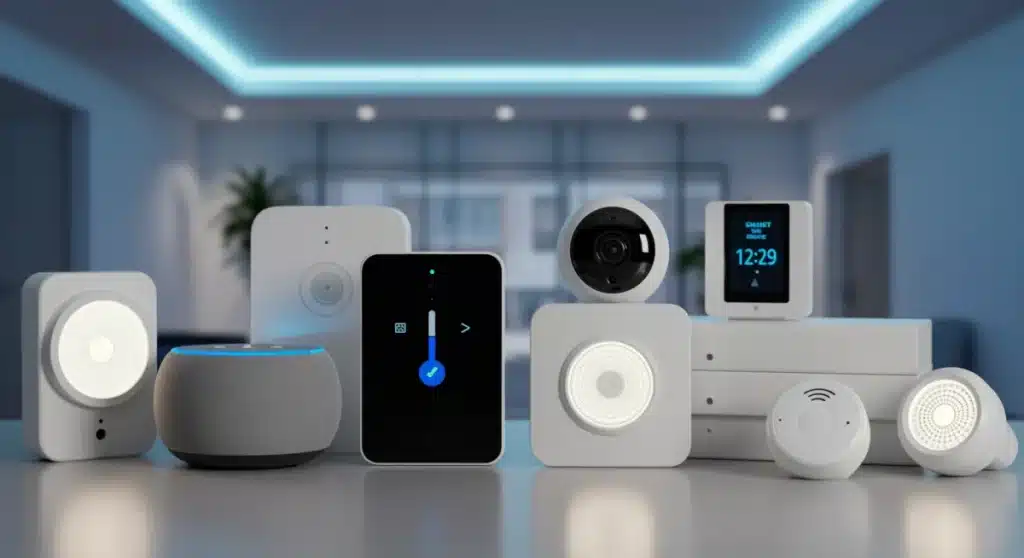
Implementing proactive maintenance strategies for your smart home devices in 2026 can significantly extend their operational life, ensuring optimal performance and yielding up to 20% savings on premature replacements.
In an era where our homes are increasingly interconnected, understanding how to maximize the longevity of our smart devices is more critical than ever. Prolonging smart device lifespan isn’t just about saving money; it’s about optimizing performance, reducing electronic waste, and ensuring your smart home ecosystem operates seamlessly. This guide offers essential maintenance tips for 2026, designed to help you save significantly on replacements while keeping your tech running like new.
Understanding the Lifespan of Your Smart Devices
Smart devices, from thermostats to security cameras, are significant investments in our modern homes. Just like any other electronic gadget, they have an expected lifespan, often influenced by usage, environment, and, critically, maintenance. In 2026, with rapid advancements in AI and IoT, these devices are more sophisticated, but their physical and software components still require attention to prevent early degradation.
The average lifespan of smart devices can vary widely. A smart speaker might last 5-7 years, while a smart thermostat could easily extend beyond a decade with proper care. However, neglecting basic upkeep can cut these figures in half, leading to unexpected expenses and frustration. Recognizing the factors that impact device longevity is the first step toward proactive maintenance.
Factors Affecting Device Longevity
- Environmental Conditions: Extreme temperatures, humidity, and dust are silent killers for electronics.
- Usage Patterns: Constant operation or frequent, high-intensity tasks can accelerate wear and tear.
- Software Updates: Timely updates are crucial for security, performance, and compatibility.
- Battery Health: For portable or battery-dependent devices, battery care is paramount.
Understanding these variables allows homeowners to implement targeted strategies. For instance, placing a smart hub in a well-ventilated area can prevent overheating, while regular software checks ensure your devices are running on the most efficient and secure firmware available. Proactive care is not just about fixing problems; it’s about preventing them before they occur, ultimately contributing to a longer, more reliable operational period for all your smart home tech.
Regular Software and Firmware Updates: A Critical Necessity
In 2026, the digital backbone of your smart devices, their software and firmware, is as vital as their physical hardware. Manufacturers continuously release updates that address security vulnerabilities, improve performance, introduce new features, and enhance compatibility with other ecosystem components. Neglecting these updates is akin to driving a car without regular oil changes; it might work for a while, but eventually, performance will suffer, and risks will increase.
Many smart devices are configured for automatic updates, but it’s always wise to verify this setting and periodically check for manual updates. These updates often contain crucial patches that protect your home network from emerging cyber threats, which are increasingly sophisticated in today’s interconnected world. Furthermore, optimized firmware can lead to better energy efficiency and responsiveness, directly impacting your user experience.
The Importance of Timely Updates
- Enhanced Security: Patches against new vulnerabilities keep your data and home safe.
- Improved Performance: Updates often include bug fixes and optimizations, making devices faster and more reliable.
- New Features: Access to the latest functionalities can extend the utility of your existing devices.
- Compatibility: Ensuring seamless integration with new devices or updated platforms.
Beyond security and performance, keeping software current often prevents frustrating compatibility issues that can arise when different devices in your smart home run on disparate versions. A unified and updated software environment ensures all your gadgets speak the same language, leading to a truly intelligent and efficient home. Make it a routine to check for and apply updates, ensuring your smart home remains at the forefront of technology and security.
Physical Cleaning and Environmental Control
While software updates handle the digital side, the physical well-being of your smart devices is equally important. Dust, dirt, and environmental factors can significantly degrade performance and shorten lifespan. In 2026, with devices becoming more compact and integrated, these physical threats are often overlooked, yet they can cause overheating, connectivity issues, and component failure.
Regular, gentle cleaning is not just for aesthetics; it’s a fundamental maintenance practice. Using a microfiber cloth for screens and exteriors, and compressed air for vents and ports, can prevent dust buildup that restricts airflow and traps heat. This is particularly crucial for devices that are always on or contain moving parts, such as smart cameras with pan-and-tilt functions or smart hubs with internal processors.
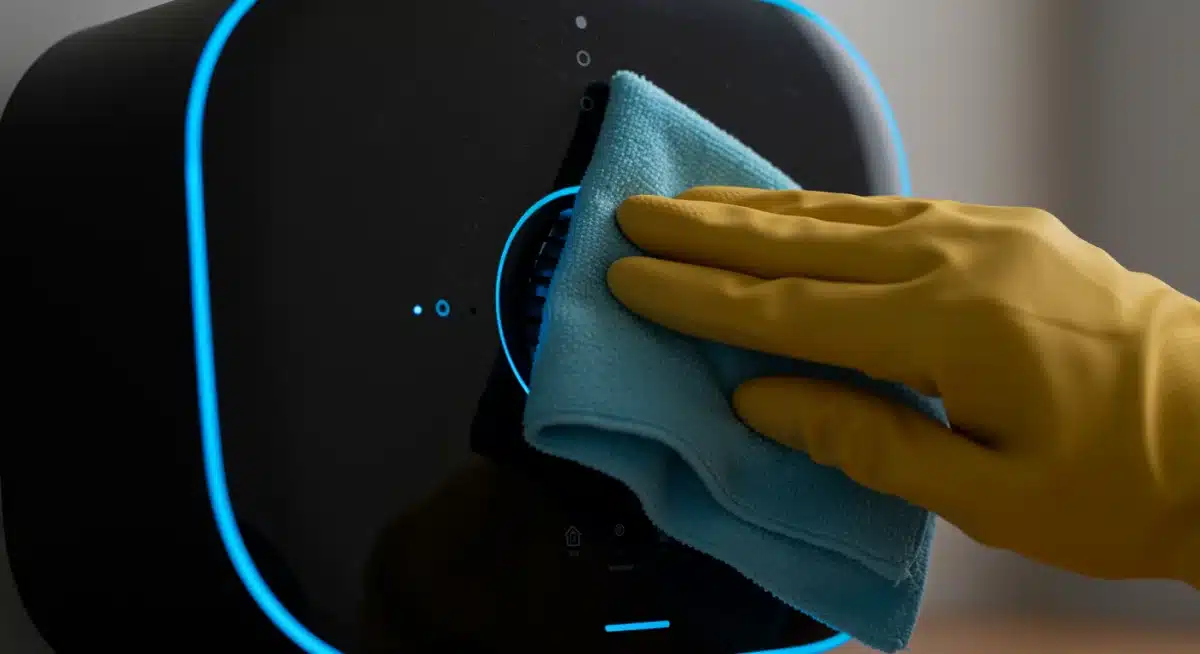
Environmental control also plays a pivotal role. Avoid placing devices in direct sunlight, near heat sources, or in excessively humid areas like bathrooms (unless specifically designed for such environments). Humidity can lead to corrosion, and extreme temperatures can stress internal components, reducing their efficiency and lifespan. Think of your smart devices as delicate instruments that thrive in stable, clean conditions.
Best Practices for Physical Maintenance
- Dust Removal: Use compressed air for vents and ports; microfiber cloths for surfaces.
- Temperature Control: Keep devices away from direct heat or cold sources.
- Humidity Management: Ensure devices are in dry, well-ventilated areas.
- Cable Management: Organize cables to prevent damage and improve airflow.
By dedicating a few minutes each month to physical cleaning and ensuring optimal environmental conditions, you can significantly mitigate the risks of hardware failure. This simple yet effective approach safeguards your investment and contributes directly to prolonging smart device lifespan, ensuring they continue to serve your home efficiently for years to come.
Battery Management for Portable Smart Devices
Many smart devices, from portable security cameras to smart door locks and even some smart speakers, rely on rechargeable batteries. In 2026, battery technology continues to advance, but fundamental principles of battery care remain essential for maximizing their longevity and performance. Poor battery management is a leading cause of premature device failure or reduced utility, often necessitating costly battery replacements or entirely new devices.
The key to good battery health lies in understanding charging cycles and avoiding extreme conditions. For most lithium-ion batteries commonly used in smart devices, it’s best to maintain a charge between 20% and 80%. Constantly discharging to 0% or overcharging to 100% for extended periods can accelerate battery degradation. Many modern devices have smart charging features that help manage this, but conscious usage habits are still beneficial.
Optimizing Battery Health
- Avoid Deep Discharges: Don’t let batteries consistently drain to zero.
- Prevent Overcharging: Unplug devices once fully charged if not designed for continuous power.
- Temperature Regulation: Keep battery-powered devices out of extreme heat or cold.
- Use Original Chargers: Third-party chargers may not provide optimal voltage or current.
Beyond daily charging habits, consider the long-term storage of battery-powered devices. If you plan to store a device for an extended period, charge its battery to around 50% and store it in a cool, dry place. This helps prevent irreversible capacity loss. By adopting these careful battery management practices, you can ensure your portable smart devices maintain their charge capacity and remain reliable companions in your smart home for much longer.
Network Optimization and Connectivity Stability
The “smart” in smart devices largely depends on their ability to connect and communicate. A stable and optimized home network is the circulatory system of your smart home, and any instability can lead to performance issues, dropped connections, and ultimately, a perceived or actual failure of your devices. In 2026, with an increasing number of devices competing for bandwidth, network maintenance is paramount for prolonging smart device lifespan.
Start by ensuring your router and modem are up-to-date and optimally placed. A central location, free from obstructions, typically provides the best signal coverage. Consider upgrading to a Wi-Fi 6E or even Wi-Fi 7 router if you have many devices, as these technologies are designed to handle higher traffic volumes with greater efficiency and lower latency. Regular reboots of your router can also clear out temporary glitches and refresh network performance.
Ensuring Network Stability
- Router Placement: Central, unobstructed location for optimal signal.
- Network Upgrades: Invest in current Wi-Fi standards (e.g., Wi-Fi 6E/7) for better capacity.
- Regular Reboots: Periodically restart your router to clear caches and improve performance.
- Bandwidth Management: Prioritize critical devices or segment your network for better control.
Beyond hardware, regularly review your network security settings. Strong passwords and up-to-date firmware on your network equipment protect against unauthorized access, which can strain your network and compromise device security. A robust and well-managed network not only enhances the performance of your smart devices but also reduces the stress on their internal components, contributing to their overall longevity and reliability within your smart home ecosystem.
Strategic Replacements and Upgrades
While the goal is to prolong lifespan, there comes a point for every smart device where replacement or an upgrade becomes the most sensible option. This isn’t a failure of maintenance but rather a strategic decision driven by technological obsolescence, irreparable damage, or the emergence of significantly superior and more efficient alternatives. In 2026, the pace of innovation means that sometimes, a new device can offer benefits that outweigh the cost of maintaining an aging one.
Before rushing to replace, evaluate the cost-effectiveness of repair versus replacement. For instance, a battery replacement for a smart thermostat might be a simple fix, but if an older model lacks critical security features or energy efficiency found in newer versions, an upgrade might be more economical in the long run. Consider the impact on your overall smart home ecosystem; a single outdated device could be a bottleneck for the performance of others.
When to Consider Replacement or Upgrade
- Irreparable Damage: When repair costs exceed a significant portion of a new device’s price.
- Technological Obsolescence: Device no longer receives security updates or is incompatible with new standards.
- Significant Efficiency Gains: Newer models offer substantial improvements in energy use or performance.
- Enhanced Security Features: Upgraded protection against evolving cyber threats.
By strategically planning replacements and upgrades, you can avoid panic purchases and ensure your smart home remains cutting-edge and efficient. This approach not only saves you money in the long term by preventing costly repairs on outdated tech but also ensures your smart home continues to deliver the convenience, security, and energy savings you expect in 2026 and beyond. It’s about smart decision-making, not just extending life at all costs.
| Maintenance Tip | Benefit |
|---|---|
| Software Updates | Ensures security, performance, and new features. |
| Physical Cleaning | Prevents overheating and component failure. |
| Battery Management | Maximizes charge capacity and device utility. |
| Network Optimization | Ensures stable connectivity and device responsiveness. |
Frequently Asked Questions About Smart Device Lifespan
You should update your smart devices as soon as new software or firmware versions are released. Many devices offer automatic updates, which is the ideal setting. For those that require manual intervention, aim for at least quarterly checks to ensure you have the latest security patches and performance enhancements.
Yes, extreme temperatures, both hot and cold, can significantly impact the internal components and batteries of smart devices. Heat can accelerate degradation and cause overheating, while cold can reduce battery efficiency and stress materials. Always keep devices within their recommended operating temperature ranges.
The decision to repair or replace depends on the cost of repair, the age of the device, and the availability of newer, more efficient models. If repair costs are high or the device is several years old and lacks modern features, replacement often offers better long-term value, including improved security and efficiency.
An unstable network can cause smart devices to constantly attempt reconnections, leading to increased power consumption and stress on their wireless components. This continuous effort can shorten a device’s operational life and reduce its responsiveness. A robust network ensures seamless communication and reduces device strain.
The most impactful tip is a combination of regular software updates and diligent physical cleaning. These two practices collectively address the primary causes of device degradation: security vulnerabilities, performance issues, and hardware wear. Proactive maintenance prevents costly failures and extends utility, directly saving on replacements.
Conclusion
In conclusion, prolonging smart device lifespan in 2026 is an achievable goal that combines diligent digital and physical maintenance. By prioritizing regular software updates, maintaining pristine physical conditions, managing battery health, optimizing your home network, and making strategic decisions about upgrades, you can significantly extend the life of your smart home investments. These practices not only lead to substantial savings on replacements but also ensure your smart home remains a reliable, efficient, and secure environment, perfectly attuned to the demands of modern living.