
Smart home network optimization is crucial for ensuring seamless device operation and maximizing efficiency, with strategic improvements offering up to a 25% performance boost by 2026.
In the rapidly evolving landscape of connected living, a robust and efficient network is no longer a luxury but a necessity for any smart home. As we look towards 2026, the demand for seamless integration and instantaneous responsiveness from our devices only grows. This article will guide you through the essential steps for smart home network optimization, promising to boost your system’s performance by up to 25%.
Understanding Your Current Smart Home Network
Before any significant improvements can be made, it’s vital to have a clear picture of your existing smart home network. This initial assessment involves identifying potential bottlenecks, understanding device distribution, and evaluating the overall health of your Wi-Fi infrastructure. A thorough understanding lays the groundwork for effective optimization strategies.
Many homeowners overlook the foundational role their network plays in the performance of their smart devices. A slow or unstable Wi-Fi connection can render the most advanced gadgets frustratingly ineffective. By taking the time to analyze your current setup, you can pinpoint areas ripe for improvement.
Mapping Your Device Ecosystem
Start by creating an inventory of all your connected devices. This includes everything from smart speakers and thermostats to security cameras and smart lighting. Knowing what’s on your network helps in understanding bandwidth demands and potential interference sources.
- Identify all Wi-Fi dependent devices.
- Note devices using other protocols like Zigbee or Z-Wave, which often rely on a central hub connected to Wi-Fi.
- Document device locations relative to your router and access points.
Assessing Network Speeds and Coverage
Conduct speed tests in various locations throughout your home, especially where smart devices are concentrated. Poor coverage or weak signals can severely impact performance. Utilize network analysis tools to visualize signal strength and identify dead zones.
Understanding your network’s current state is the first critical step toward achieving a truly optimized smart home. Without this baseline, any attempts at improvement would be akin to navigating in the dark, leading to potentially ineffective or even counterproductive changes.
Step 1: Upgrade Your Core Network Infrastructure
The foundation of any high-performing smart home lies in its core network infrastructure. By 2026, older routers and outdated Wi-Fi standards simply won’t cut it. Investing in modern, robust hardware is the single most impactful step you can take to achieve significant performance gains.
Think of your router as the brain of your smart home. If the brain isn’t powerful enough or is outdated, the entire system will suffer. Upgrading your router and potentially introducing mesh Wi-Fi systems can dramatically improve speed, coverage, and reliability.
Investing in a Wi-Fi 6E or Wi-Fi 7 Router
Wi-Fi 6E, and soon Wi-Fi 7, offer substantial improvements over previous generations. These new standards introduce the 6GHz band, reducing congestion and interference, especially in dense urban environments. This translates to faster speeds and lower latency for your smart devices.
- Wi-Fi 6E (802.11ax) provides access to the 6GHz band for less interference.
- Wi-Fi 7 (802.11be) further enhances speed and efficiency with features like Multi-Link Operation (MLO).
- Prioritize routers with robust processing power to handle numerous simultaneous connections.
Implementing a Mesh Wi-Fi System
For larger homes or those with significant architectural barriers, a single router often isn’t enough. Mesh Wi-Fi systems create a unified network that blankets your entire home with strong, consistent Wi-Fi coverage, eliminating dead zones and ensuring every smart device has a reliable connection.
Mesh systems are particularly beneficial for devices like smart security cameras or video doorbells that require continuous, high-bandwidth connections. They intelligently route traffic, ensuring optimal performance across all nodes.
Step 2: Optimize Network Settings and Device Placement
Even with top-tier hardware, suboptimal settings or poor device placement can cripple your smart home network. This step focuses on fine-tuning your network configuration and strategically positioning your devices to maximize their performance and minimize interference.
Many users simply plug in their router and leave the default settings. However, a few simple adjustments can unlock significant improvements in speed and reliability. Understanding how to manage your Wi-Fi channels and prioritize traffic is key.
Choosing Optimal Wi-Fi Channels
Wi-Fi signals operate on various channels, and congestion on a particular channel can lead to slower speeds. Use network analysis apps to identify the least congested channels in your area for both 2.4GHz and 5GHz bands. Switching to a less crowded channel can significantly reduce interference.
The 2.4GHz band offers greater range but is prone to interference from other household devices like microwaves and cordless phones. The 5GHz band provides faster speeds but has a shorter range. Balancing these two bands strategically is crucial.
Implementing Quality of Service (QoS) Settings
Many modern routers offer Quality of Service (QoS) features, allowing you to prioritize traffic for specific devices or applications. For a smart home, this means you can ensure critical devices, like security cameras or voice assistants, receive priority bandwidth, preventing lag or unresponsiveness.
- Prioritize smart home hubs and security devices.
- Allocate sufficient bandwidth for streaming devices to avoid buffering.
- Experiment with different QoS settings to find the optimal balance for your usage patterns.
Strategic Device Placement
The physical location of your router, mesh nodes, and smart devices plays a huge role in signal strength. Place your main router in a central location, away from obstructions and other electronics that can cause interference. Ensure mesh nodes are strategically placed to extend coverage evenly.
Avoid placing devices in cabinets or behind large metal objects. Even a few feet can make a difference in signal quality, directly impacting the responsiveness of your smart home.
Step 3: Enhance Security and Regular Maintenance Protocols
A high-performing smart home network is only as good as its security and reliability. By 2026, cyber threats are more sophisticated, making robust security protocols and routine maintenance non-negotiable for protecting your data and ensuring consistent operation.
Neglecting security can leave your smart home vulnerable to breaches, compromising privacy and potentially allowing unauthorized access to your devices. Regular maintenance, on the other hand, ensures your network continues to operate at peak efficiency.
Implementing WPA3 Encryption and Strong Passwords
Always use WPA3 encryption for your Wi-Fi network, as it offers superior security compared to older standards. Combine this with strong, unique passwords for both your Wi-Fi and individual smart devices. Avoid default passwords at all costs.
- Enable WPA3 encryption on your router.
- Use complex, unique passwords for all network and device logins.
- Consider a guest network for visitors to keep your primary smart home network isolated.
Regular Firmware Updates and Network Monitoring
Router and smart device manufacturers frequently release firmware updates that include security patches and performance enhancements. Make it a habit to regularly check for and install these updates. Additionally, monitor your network for unusual activity or performance drops.
Many modern routers offer built-in network monitoring tools. Utilize these to keep an eye on bandwidth usage, connected devices, and potential security alerts. Proactive monitoring can help you identify and address issues before they escalate.
Leveraging Advanced Smart Home Technologies in 2026
As we advance towards 2026, smart home technology continues to evolve at a rapid pace, offering new ways to optimize and secure your connected living space. Beyond basic network upgrades, integrating advanced solutions can further enhance performance and user experience.
The smart home landscape is no longer just about convenience; it’s about creating an intelligent, responsive, and secure environment that anticipates your needs. This involves looking at AI-powered solutions and robust cybersecurity measures tailored for IoT devices.
AI-Powered Network Management
Newer routers and mesh systems are increasingly incorporating AI and machine learning to dynamically manage network traffic. These intelligent systems can automatically prioritize bandwidth for critical devices, detect and mitigate interference, and even predict potential network issues before they occur.
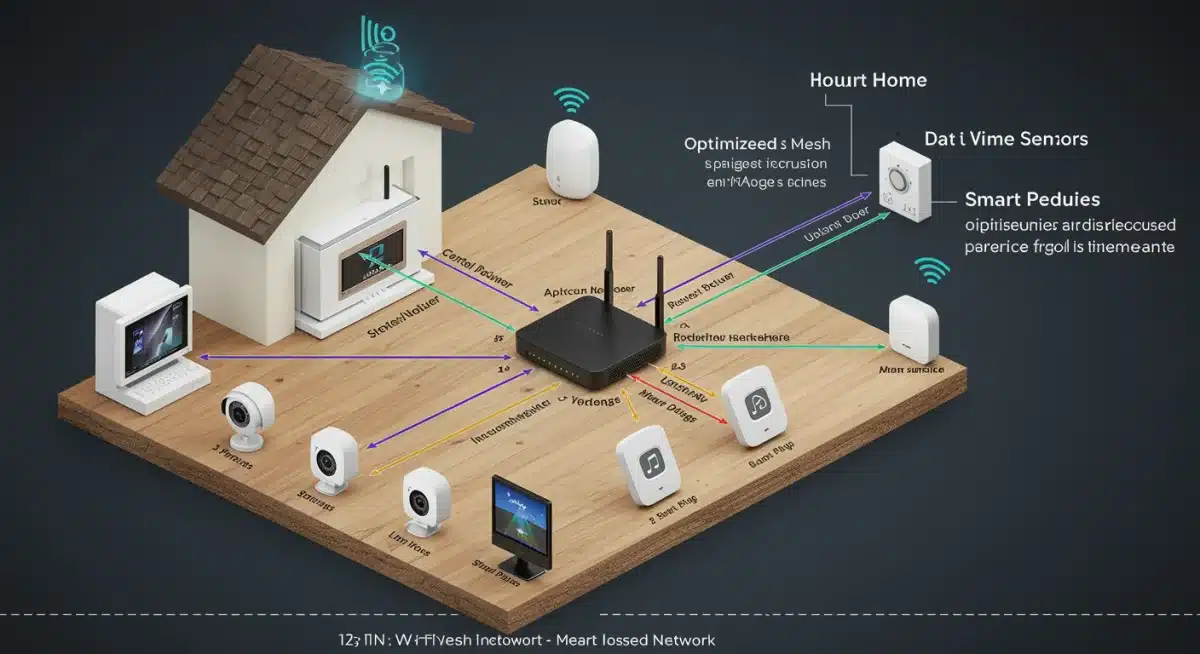
This proactive management significantly reduces the need for manual configuration and ensures your smart home always operates at its best, adapting to changing demands without user intervention.
Dedicated IoT Networks and VLANs
For enhanced security and network segmentation, consider setting up a dedicated network or Virtual Local Area Network (VLAN) specifically for your smart home devices. This isolates IoT traffic from your main personal network, preventing potential security breaches from affecting your more sensitive data.
- Isolate smart devices on a separate network segment.
- Limit communication between IoT devices and the internet to only what’s necessary.
- Improve overall network security by containing potential threats.
Edge Computing for Faster Responses
The rise of edge computing in smart homes means more processing happens locally on devices or within your home network, rather than relying solely on cloud servers. This reduces latency, improves responsiveness, and enhances privacy for tasks like local AI processing or video analysis from security cameras.
Devices capable of edge computing can perform actions faster, making your smart home feel more immediate and intuitive. This technology is becoming increasingly prevalent and will be a key differentiator for premium smart home experiences in 2026.
Troubleshooting Common Smart Home Network Issues
Even with the most optimized setup, smart home networks can occasionally encounter issues. Knowing how to effectively troubleshoot common problems can save you time and frustration, ensuring your connected ecosystem remains functional and responsive.
From intermittent connectivity to unresponsive devices, problems can arise from various sources, including Wi-Fi interference, software glitches, or even simple power cycles. A systematic approach to troubleshooting is essential.
Diagnosing Connectivity Problems
When a device loses connection, start by checking its power supply and the status of your Wi-Fi network. Often, a simple router reboot can resolve many temporary connectivity issues. If the problem persists, check individual device settings and ensure they are connected to the correct network.
- Reboot your router and modem.
- Check if other devices are experiencing similar connectivity issues.
- Verify device placement and proximity to the router or mesh nodes.
Addressing Device Unresponsiveness
If a smart device is connected but unresponsive, try power cycling the device itself. Sometimes, a software glitch or a temporary communication error can be resolved by a simple restart. Also, check for any pending firmware updates for the device, as these often contain bug fixes.
Confirm that the device’s app or control interface is up to date. Outdated software can sometimes lead to communication issues with the device, making it appear unresponsive even when connected to the network.
Minimizing Wi-Fi Interference
Interference from neighboring networks or other electronics can degrade Wi-Fi performance. Use a Wi-Fi analyzer app to identify sources of interference and switch your router’s channels if necessary. Consider relocating devices that might be causing or experiencing interference.
Microwave ovens, cordless phones, and even some Bluetooth devices can operate on similar frequencies to 2.4GHz Wi-Fi, causing signal disruption. Be mindful of these potential sources when arranging your smart home layout.
The Future of Smart Home Network Performance by 2026
Looking ahead to 2026, the trajectory of smart home network optimization points towards even greater automation, intelligence, and seamless integration. The focus will shift from mere connectivity to predictive maintenance, hyper-personalization, and energy efficiency, all underpinned by a super-fast and ultra-reliable network.
The sheer volume of connected devices in the average home will continue to grow, demanding networks that can not only handle the load but also manage it intelligently to provide an unparalleled user experience.
Proactive Network Management and Self-Healing Systems
Expect to see more advanced AI-driven network systems that can predict potential issues before they impact performance. These ‘self-healing’ networks will automatically adjust settings, reroute traffic, and even flag hardware failures, minimizing downtime and user intervention.
This proactive approach will ensure that your smart home network is always operating at its optimal level, making manual troubleshooting largely a thing of the past for many common issues.
Enhanced Security with Biometric and Behavioral Analytics
Network security will evolve beyond traditional passwords and encryption. Expect integration with biometric authentication for network access and behavioral analytics to detect anomalous activity, providing an unprecedented layer of protection against cyber threats tailored specifically for IoT environments.
These advanced security measures will protect not only your data but also the physical integrity of your smart home, as more critical systems become interconnected.
Energy Efficiency Through Network Optimization
Future smart home networks will play a crucial role in optimizing energy consumption. By intelligently managing device connectivity and data flow, networks can contribute to significant energy savings, ensuring devices only consume power when actively needed or performing essential functions.
This integration of network optimization with energy management will be a key trend, contributing to both environmental sustainability and reduced utility bills for homeowners.
| Key Optimization Step | Brief Description |
|---|---|
| Upgrade Infrastructure | Invest in Wi-Fi 6E/7 routers and mesh systems for superior speed and coverage. |
| Optimize Settings | Fine-tune Wi-Fi channels and implement QoS for prioritized traffic flow. |
| Enhance Security & Maintenance | Use WPA3, strong passwords, and regular firmware updates for protection. |
| Leverage Advanced Tech | Integrate AI-powered management and dedicated IoT networks for future-proofing. |
Frequently Asked Questions About Smart Home Network Optimization
The most crucial step is upgrading your core network infrastructure. Investing in a modern Wi-Fi 6E or Wi-Fi 7 router, potentially combined with a mesh system, provides the foundational speed, coverage, and capacity needed to handle numerous smart devices efficiently and reliably.
Wi-Fi 6E introduces the 6GHz band, a dedicated frequency spectrum that significantly reduces network congestion and interference. This results in faster speeds, lower latency, and more reliable connections for your smart home devices, especially in environments with many Wi-Fi networks.
While not strictly necessary for every smart home, mesh Wi-Fi systems are highly recommended for larger homes, multi-story residences, or properties with architectural barriers. They ensure consistent, strong Wi-Fi coverage in every corner, eliminating dead zones and enhancing device reliability.
QoS allows you to prioritize network traffic for specific devices or applications. For smart homes, this means you can ensure critical devices like security cameras, voice assistants, or smart locks receive preferential bandwidth, preventing lag and ensuring immediate responsiveness when needed most.
Key security practices include enabling WPA3 encryption, using strong and unique passwords for your Wi-Fi and all smart devices, regularly updating firmware, and considering a dedicated IoT network or VLAN to isolate smart devices from your main network for enhanced protection.
Conclusion
Achieving a 25% performance boost in your smart home network by 2026 is an attainable goal through strategic upgrades and consistent optimization. By focusing on a robust core infrastructure, fine-tuning network settings, and prioritizing security and maintenance, you can transform your connected living space into a seamlessly integrated, highly responsive, and secure environment. The future of smart homes relies on intelligent networks that adapt and perform, ensuring your devices work for you, effortlessly and reliably.