Optimize Smart Thermostat 2026: 7 Settings for Peak Efficiency
The year is 2026, and smart home technology has evolved beyond simple convenience. Today, devices like your smart thermostat are not just about setting temperatures; they are sophisticated energy management hubs. Optimizing your smart thermostat is no longer a luxury but a crucial step towards significant energy savings, enhanced comfort, and a reduced carbon footprint. With advancements in AI, machine learning, and connectivity, these devices offer unparalleled control over your home’s climate. However, many homeowners are still only scratching the surface of their smart thermostat’s full potential. This comprehensive guide will delve into the seven essential settings and strategies you need to master for peak smart thermostat optimization in 2026, ensuring your home is both comfortable and incredibly efficient.
Understanding the intricacies of your smart thermostat can seem daunting, given the array of features and options available. But fear not! We’ll break down each critical setting, explaining its purpose, how to configure it, and the benefits it brings. By the end of this article, you’ll be equipped with the knowledge to transform your HVAC system from a simple heater or cooler into an intelligent, responsive, and highly efficient climate control solution. Get ready to unlock new levels of energy savings and home comfort through expert smart thermostat optimization.
1. Master Intelligent Scheduling and Geofencing for Smart Thermostat Optimization
At the heart of effective smart thermostat optimization lies intelligent scheduling. Gone are the days of manually adjusting your thermostat based on a rigid, unchanging routine. Modern smart thermostats leverage advanced algorithms to learn your habits and predict your needs. However, simply relying on default settings isn’t enough. To truly optimize your smart thermostat, you need to actively engage with its scheduling features.
Tailored Scheduling Beyond the Defaults
Most smart thermostats offer pre-set schedules (e.g., ‘Home,’ ‘Away,’ ‘Sleep’). While these are a good starting point, the real power comes from customization. Take the time to create a schedule that precisely matches your family’s weekly routine. Consider:
- Workdays vs. Weekends: Your heating and cooling needs will differ significantly.
- Occupancy Patterns: When is your home empty? When are specific rooms occupied?
- Peak Energy Times: Some utility providers offer time-of-use rates. Schedule your significant energy usage (like pre-cooling or pre-heating) during off-peak hours to save money.
Many smart thermostats now offer granular control, allowing you to set different temperatures for different times of the day, even down to 15-minute intervals. Experiment with these settings to find the ‘sweet spot’ where comfort meets efficiency. A common mistake is to set temperatures too low or too high when away, thinking it saves more. While a significant setback helps, an extreme one might force your HVAC system to work harder to recover the desired temperature when you return, potentially negating savings. The goal of smart thermostat optimization here is a balanced approach.
Leveraging Geofencing for Dynamic Control
Geofencing is arguably one of the most impactful features for smart thermostat optimization. This technology uses your smartphone’s location services to detect when you leave or approach your home. Instead of relying on a fixed schedule, geofencing allows your thermostat to dynamically switch to energy-saving modes when you’re away and begin preparing your home for your arrival.
How to set it up:
- Enable Location Services: Ensure your smartphone’s location services are always on for the thermostat’s app.
- Define Your Geofence Radius: Most apps allow you to set a radius (e.g., 1-5 miles) around your home. When you cross this boundary, the thermostat adjusts.
- Configure Away and Home Temperatures: Decide what temperatures you want when you’re away (energy-saving) and what temperature you want your home to reach by the time you arrive.
For optimal smart thermostat optimization, integrate geofencing with your learned schedules. Your thermostat can use geofencing to override scheduled ‘home’ periods if you unexpectedly leave early, or to initiate cooling/heating if you’re returning sooner than planned. This synergy ensures you’re never wasting energy heating or cooling an empty house, nor are you returning to an uncomfortable one.
2. Fine-Tuning Comfort Settings and Temperature Differentials
While energy savings are a primary driver for smart thermostat optimization, comfort remains paramount. The trick is to achieve maximum comfort with minimal energy expenditure. This involves understanding and fine-tuning your comfort settings and temperature differentials.
Understanding Temperature Differentials (Swing/Cycles Per Hour)
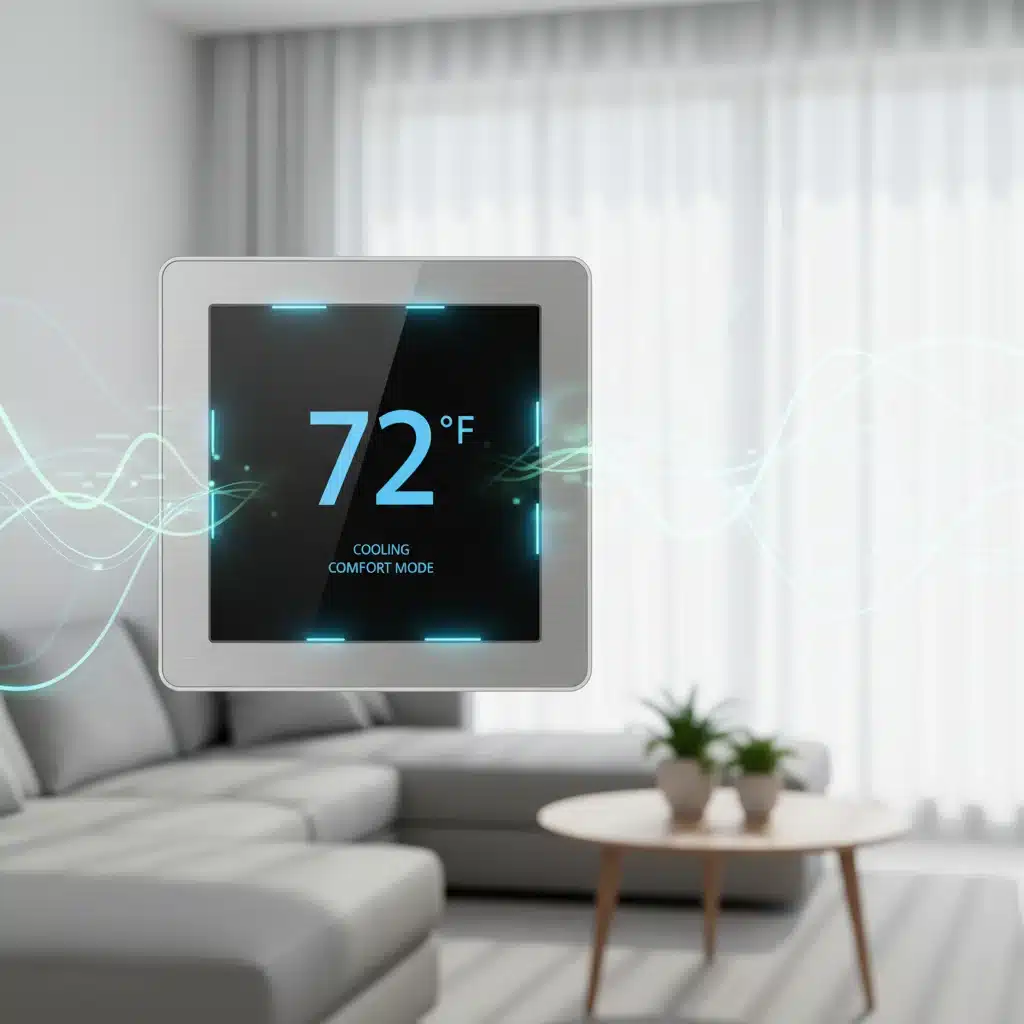
Your thermostat doesn’t maintain an exact temperature; it allows for a temperature ‘swing’ or differential. For example, if you set it to 72°F, it might let the temperature rise to 73°F before cooling or drop to 71°F before heating. A larger differential means your HVAC system runs less frequently but for longer periods. A smaller differential means more frequent, shorter cycles.
- Larger Differential (e.g., 2-3°F): Generally more energy-efficient as it reduces wear and tear on your HVAC system (fewer starts and stops) and avoids short-cycling. However, it might lead to slight temperature fluctuations that some find less comfortable.
- Smaller Differential (e.g., 0.5-1°F): Provides more consistent indoor temperatures but can lead to increased energy consumption and system wear due to more frequent cycling.
For smart thermostat optimization, experiment to find your personal comfort zone. Many modern thermostats allow you to adjust this differential. Start with a 2°F differential for heating and cooling and adjust if you notice discomfort. The goal is to find the largest differential you can tolerate comfortably.
Optimizing Fan Settings: Auto vs. On
Your fan setting significantly impacts both comfort and energy use. Most thermostats offer two main fan modes:
- Auto: The fan runs only when your heating or cooling system is actively working. This is the most energy-efficient setting.
- On: The fan runs continuously, regardless of whether your heating or cooling system is active. This provides more consistent air circulation and can help with air filtration, but it uses more electricity.
For optimal smart thermostat optimization, stick with ‘Auto’ in most cases. If you experience uneven temperatures in your home, consider running the fan ‘On’ for short periods or using a ‘Circulate’ mode (if available), which cycles the fan periodically to distribute air without constantly running the HVAC system. Some advanced thermostats even integrate with smart vents to direct airflow more precisely, further enhancing comfort and efficiency.
3. Leveraging Learning Capabilities and Predictive Features
One of the standout features of truly smart thermostats is their ability to learn from your behavior and environmental factors. This learning capability is a cornerstone of advanced smart thermostat optimization.
Behavioral Learning and Self-Adjustment
Many popular smart thermostats, like those from Nest or Ecobee, observe your manual adjustments over time. They learn:
- Your preferred temperatures: What temperature do you typically set during specific times of the day or week?
- How long it takes to heat/cool your home: This allows them to ‘pre-heat’ or ‘pre-cool’ so your home reaches the desired temperature precisely when you want it, rather than starting the process at that exact time.
To maximize this feature for smart thermostat optimization, be consistent with your manual adjustments initially. The more data your thermostat collects, the better it becomes at predicting your needs and creating an optimized schedule that you might not even realize it’s building for you. After a few weeks, review the learned schedule and make any necessary tweaks to refine it further.
Utilizing Weather Integration and Predictive Heating/Cooling
Modern smart thermostats don’t operate in a vacuum. They connect to the internet to pull in local weather data, which is invaluable for smart thermostat optimization.
- Outdoor Temperature: The thermostat can anticipate heating or cooling needs based on upcoming temperature drops or spikes.
- Humidity: Some thermostats can integrate with humidifiers/dehumidifiers or adjust cooling cycles to manage indoor humidity, which significantly impacts perceived comfort.
Predictive heating and cooling, sometimes called ‘True Radiant’ or ‘Auto-Schedule,’ allows your thermostat to start running your HVAC system proactively. For example, if it knows you like your home to be 72°F by 6 PM, and it’s 65°F at 5 PM with an outdoor temperature of 40°F, it might start heating at 5:30 PM to ensure it hits 72°F exactly at 6 PM. This smooths out temperature transitions and can be more energy-efficient than a sudden, aggressive heating/cooling burst.
4. Optimizing Occupancy Sensors and Room Sensors
Beyond geofencing, many smart thermostats use occupancy sensors (either built-in or external room sensors) to detect presence and further refine their operation. This is a critical aspect of advanced smart thermostat optimization, especially in homes with varying occupancy patterns.
The Power of Occupancy Detection
Built-in occupancy sensors in the main thermostat unit can detect if someone is home, even if they haven’t crossed a geofence boundary. This is particularly useful if someone is home unexpectedly or if your schedule is irregular. When no occupancy is detected for a set period, the thermostat can automatically switch to an energy-saving ‘Away’ mode.
Strategic Placement of Room Sensors
Room sensors are small, wireless devices that you place in different rooms of your house. They serve multiple purposes for smart thermostat optimization:
- Average Temperature: Instead of relying solely on the temperature at the main thermostat’s location (which might be in a hallway), room sensors allow your system to consider the average temperature across multiple key areas. This helps eliminate hot or cold spots.
- Targeted Comfort: You can often tell your smart thermostat to prioritize comfort in a specific room based on occupancy. For instance, if you’re working in your home office, you can set the system to maintain the desired temperature in that room, ignoring other unoccupied areas.
- Occupancy Detection in Specific Rooms: Many room sensors also include occupancy detectors. This allows your thermostat to know which rooms are currently in use and adjust accordingly, focusing heating or cooling where it’s needed most.
For optimal smart thermostat optimization, place room sensors in frequently used rooms (bedrooms, living room, home office) and away from direct sunlight, drafts, or heat sources that could skew readings. Regularly check the data from these sensors in your app to ensure they are providing accurate information and contributing to balanced climate control.
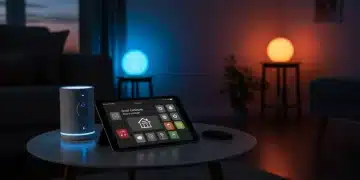
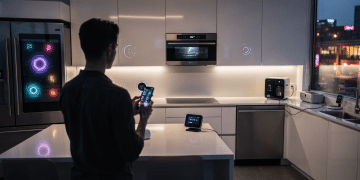
5. Integrating with Other Smart Home Devices and Voice Assistants
The true potential of smart home technology is realized through integration. Connecting your smart thermostat with other devices and platforms unlocks new levels of automation and convenience, significantly enhancing smart thermostat optimization.
Seamless Smart Home Ecosystems
Many smart thermostats are designed to integrate with major smart home platforms like Apple HomeKit, Google Home, Amazon Alexa, and Samsung SmartThings. This allows for:
- Unified Control: Manage your thermostat alongside your lights, locks, and security system from a single app or interface.
- Advanced Automation: Create complex routines or scenes. For example, when your smart lock detects you’ve unlocked the door (meaning you’re home), it can trigger your thermostat to switch from ‘Away’ to ‘Home’ mode. Or, when you activate your ‘Good Night’ scene, it can dim the lights, lock the doors, and set your thermostat to sleep temperature.
Explore the integration options available for your specific smart thermostat model. Look for IFTTT (If This Then That) compatibility for even more customized automations, allowing you to connect services that might not have direct integrations.
Voice Control for Effortless Adjustments
Connecting your smart thermostat to a voice assistant (Alexa, Google Assistant, Siri) provides unparalleled convenience. Instead of walking to the thermostat or pulling out your phone, you can simply say commands like:
- “Hey Google, set the thermostat to 72 degrees.”
- “Alexa, what’s the temperature in the living room?”
- “Siri, turn up the heat.”
This hands-free control encourages more frequent and precise adjustments, contributing to better smart thermostat optimization as you can fine-tune your environment with minimal effort. Ensure your voice assistant is properly linked to your thermostat’s account in its respective app.
6. Understanding and Utilizing Energy Reports and Insights
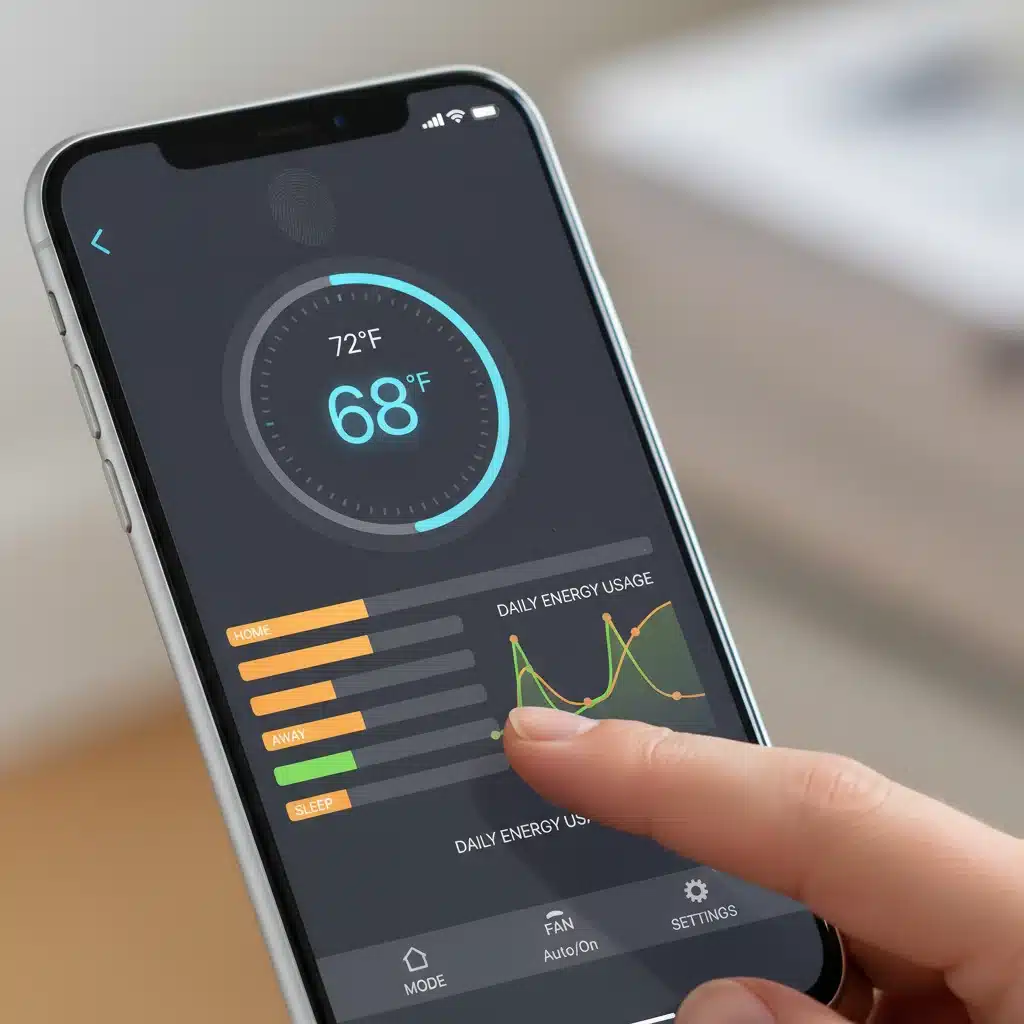
One of the most powerful tools for continuous smart thermostat optimization is the data it collects. Most smart thermostats provide detailed energy reports and insights, helping you understand your energy consumption patterns and identify areas for improvement.
Decoding Your Energy Usage Data
Your smart thermostat app likely offers:
- Daily/Weekly/Monthly Usage Reports: Visual graphs showing how much your HVAC system ran and at what temperatures.
- Energy Impact Factors: Information on what influenced your energy use, such as outdoor temperature, your settings, and occupancy.
- Tips and Recommendations: Personalized suggestions based on your usage data to help you save more energy.
Regularly review these reports. Look for trends. Did you use more energy on a particular day? What was the outdoor temperature? Did you forget to set your thermostat to ‘Away’ mode? These insights are invaluable for identifying habits that might be costing you money and for making informed adjustments to your smart thermostat optimization strategy.
Setting Energy-Saving Goals and Alerts
Some smart thermostat apps allow you to set monthly energy-saving goals. This gamifies the process and makes it easier to track your progress. You might also be able to set up alerts for:
- High Usage: Notifies you if your system is running excessively.
- Extreme Temperatures: Warns you if your home’s temperature falls outside a safe range (e.g., preventing pipes from freezing).
- Filter Replacement Reminders: Many thermostats track HVAC runtime and can remind you when it’s time to change your air filter, which is crucial for efficiency.
Actively engaging with these reports and alerts is key to proactive smart thermostat optimization. It turns passive data collection into actionable insights that directly lead to savings and improved system performance.
7. Regular Maintenance and Firmware Updates for Longevity and Performance
Even the smartest thermostat can’t perform optimally if your HVAC system isn’t well-maintained or if its own software is outdated. Regular maintenance and keeping your device updated are often overlooked but critical aspects of smart thermostat optimization.
Importance of HVAC System Maintenance
Your smart thermostat is only as good as the system it controls. Ensure your HVAC system receives annual professional maintenance. This includes:
- Filter Replacement: Change your air filters regularly (every 1-3 months). Clogged filters restrict airflow, making your system work harder and consume more energy. Your smart thermostat might even remind you!
- Coil Cleaning: Dirty evaporator and condenser coils reduce efficiency.
- Ductwork Inspection: Leaky ducts can waste a significant amount of conditioned air.
- Refrigerant Levels: Low refrigerant can severely impact cooling performance.
A well-maintained HVAC system works more efficiently, meaning your smart thermostat has an easier job maintaining your desired temperatures with less energy. This synergy is fundamental to comprehensive smart thermostat optimization.
Keeping Your Smart Thermostat’s Firmware Up-to-Date
Smart thermostats are essentially small computers, and like all software, their firmware needs regular updates. These updates often bring:
- New Features: Manufacturers frequently release new capabilities, integrations, or refined algorithms.
- Performance Improvements: Updates can enhance responsiveness, accuracy, and energy-saving capabilities.
- Security Patches: Crucial for protecting your smart home from vulnerabilities.
Most smart thermostats update automatically when connected to Wi-Fi. However, it’s a good practice to occasionally check your device’s settings or app to ensure it’s running the latest version. An outdated thermostat might miss out on critical smart thermostat optimization features or even operate less efficiently due to unaddressed bugs.
Conclusion: The Future of Smart Thermostat Optimization is Now
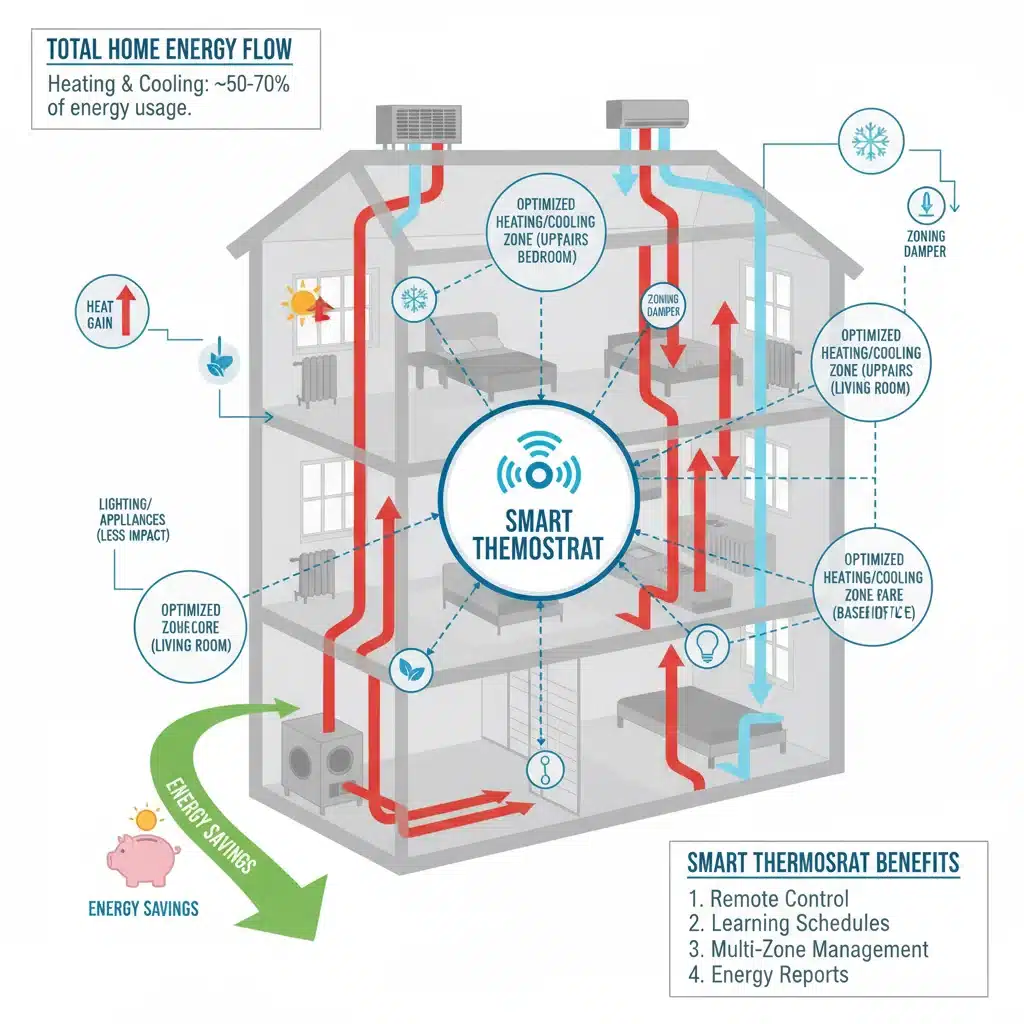
In 2026, the potential for smart thermostat optimization is greater than ever before. By mastering these seven essential settings and strategies – intelligent scheduling and geofencing, fine-tuning comfort and differentials, leveraging learning capabilities, optimizing occupancy sensors, integrating with your smart home, utilizing energy reports, and ensuring regular maintenance and updates – you can transform your home’s climate control.
This isn’t just about saving a few dollars on your utility bill; it’s about creating a living environment that is perfectly tailored to your needs, responsive to your lifestyle, and actively contributes to a more sustainable future. The journey to peak smart thermostat optimization is ongoing, as technology continues to evolve. Stay engaged with your device, explore new features as they emerge, and enjoy the unparalleled comfort and efficiency that a truly optimized smart home can provide.
Embrace the power of your smart thermostat. It’s more than just a gadget; it’s your personal home climate manager, ready to deliver comfort and savings with intelligent precision. Start implementing these strategies today and experience the full benefits of smart thermostat optimization.