Seamless Smart Device Integration: 2026 Guide for Your Connected Home

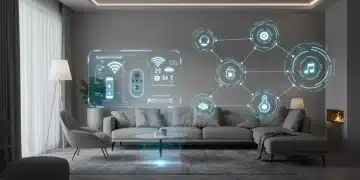
In the ever-evolving landscape of home technology, the year 2026 brings an unprecedented array of smart devices designed to simplify our lives, enhance our comfort, and boost our home’s efficiency. From advanced smart thermostats that learn our habits to sophisticated security systems that offer unparalleled peace of mind, the possibilities are virtually limitless. However, the true magic of these individual gadgets isn’t just in their standalone capabilities, but in their ability to work together as a cohesive and intelligent ecosystem. This is where the concept of smart device integration becomes paramount.
Integrating new smart devices into an existing smart home setup can often feel like navigating a complex maze. Compatibility issues, conflicting platforms, and the sheer volume of options can deter even the most tech-savvy individuals. But fear not! This comprehensive guide is meticulously crafted for 2026, offering you a step-by-step approach to seamlessly add up to five new gadgets to your current smart home ecosystem. Our goal is to demystify the process, ensuring your new additions not only function flawlessly but also enhance the overall intelligence and responsiveness of your connected living space.
The promise of a truly smart home lies in its ability to anticipate your needs, automate routine tasks, and provide real-time insights without constant manual intervention. Achieving this level of sophistication requires careful planning, an understanding of various communication protocols, and a strategic approach to device selection. We’ll delve into the foundational principles of smart home ecosystems, explore the critical role of compatibility, and provide actionable advice to prevent common integration pitfalls. By the end of this guide, you’ll be equipped with the knowledge and confidence to expand your smart home with ease, transforming your residence into a truly intelligent sanctuary.
Understanding Your Existing Smart Home Ecosystem
Before embarking on the journey of adding new devices, it’s crucial to have a clear understanding of your current smart home ecosystem. Think of it as the operating system of your connected living space. What smart home hub or platform do you primarily use? Is it Amazon Alexa, Google Home, Apple HomeKit, Samsung SmartThings, or perhaps a more specialized system like Home Assistant or Hubitat? The answer to this question will largely dictate the compatibility requirements for your new devices.
Each major smart home platform has its own set of supported devices and preferred communication protocols. For instance, HomeKit devices are designed to work seamlessly within Apple’s ecosystem, often leveraging Wi-Fi and Bluetooth. Alexa and Google Home support a vast array of devices, frequently communicating via Wi-Fi, Zigbee, and Z-Wave through their respective hubs or compatible devices like Echo Show or Google Nest Hub.
Take an inventory of your current smart devices. List their brands, models, and the primary protocol they use (e.g., Wi-Fi, Bluetooth, Zigbee, Z-Wave, Thread). This inventory will serve as your compatibility blueprint. Understanding the strengths and limitations of your existing setup is the first and most critical step towards successful smart device integration. Without this foundational knowledge, you risk purchasing devices that simply won’t play well with your current system, leading to frustration and wasted investment.
Consider the age of your existing devices as well. Older smart devices might use outdated protocols or lack the necessary firmware updates to integrate with newer technologies. While many platforms offer backward compatibility, it’s always wise to check. A thorough audit of your current smart home will save you time and money in the long run, ensuring that every new addition contributes positively to your connected home experience.
Step 1: Define Your Needs and Desired Functionality
The allure of new gadgets can be strong, but a haphazard approach to purchasing can lead to a cluttered and inefficient smart home. Before you even start browsing, take a moment to define your specific needs and the desired functionality you want to achieve with your new devices. Are you looking to enhance security with smart cameras and door locks? Do you want to optimize energy consumption with smart plugs and advanced thermostats? Or perhaps you’re aiming for greater convenience with smart lighting and automated blinds?
Prioritize your needs. While it’s tempting to add five new devices at once, a phased approach can be more manageable. Consider how each new device will contribute to your overall smart home goals. Will it automate a daily task? Provide valuable data? Improve safety? The clearer your objectives, the easier it will be to select devices that genuinely add value.
Think about the ‘why’ behind each potential purchase. For example, if you’re considering a smart sprinkler system, your ‘why’ might be water conservation and automated garden care. If it’s a smart door lock, perhaps it’s for keyless entry and remote access control. This clarity will help you filter through the myriad of options available in 2026 and focus on devices that truly align with your lifestyle and budget. Remember, successful smart device integration starts with purpose.
Step 2: Research and Verify Compatibility (The Golden Rule)
This is arguably the most critical step in the entire integration process. Compatibility is the bedrock of a harmonious smart home. In 2026, while many devices adhere to open standards, proprietary ecosystems still exist, and cross-platform functionality isn’t always guaranteed out of the box. You need to ensure that your chosen new devices can communicate effectively with your existing smart home hub or platform.
Here’s how to approach compatibility research:
- Check Platform Support: Most smart devices explicitly state which platforms they support (e.g., ‘Works with Alexa,’ ‘Compatible with Google Home,’ ‘HomeKit enabled’). Look for these badges on product packaging or descriptions.
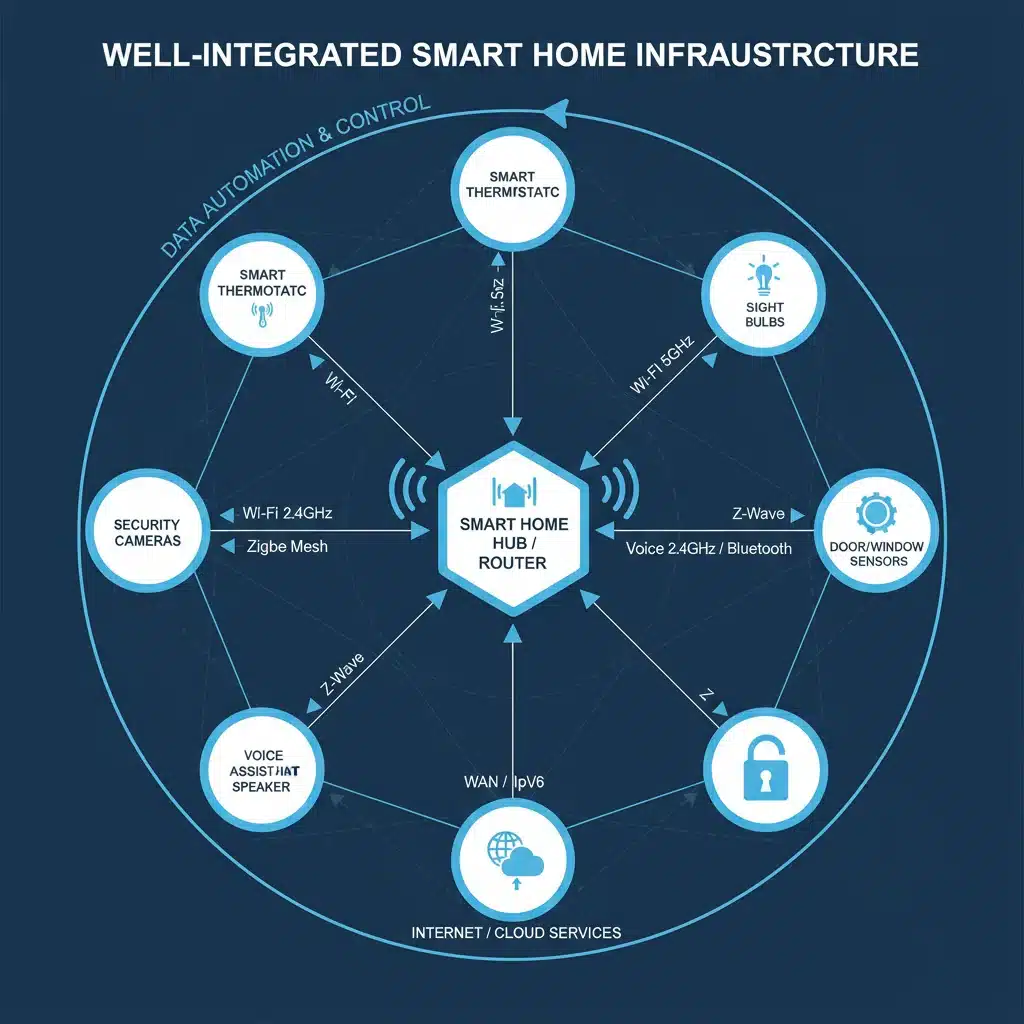
- Protocol Matching: Understand the communication protocols your existing hub uses (e.g., Wi-Fi, Bluetooth, Zigbee, Z-Wave, Thread, Matter). If your new device uses a different protocol, you might need an additional bridge or hub. Matter, the new universal standard, aims to simplify this, but not all devices are Matter-certified yet.
- Brand Ecosystems: Some brands offer their own ecosystems (e.g., Philips Hue, Ring, Arlo). While these often integrate with major platforms, they might offer enhanced features when used within their native app or hub.
- Read Reviews and Forums: User experiences are invaluable. Search for reviews or forum discussions specifically about integrating the new device with your existing platform. This can reveal common issues or successful workarounds.
- Manufacturer’s Website: Always consult the manufacturer’s official website for the most up-to-date compatibility information and technical specifications.
Don’t assume compatibility. A device might be ‘smart’ but not ‘smart home compatible’ with your specific setup. Verifying compatibility BEFORE purchase will save you immense headaches and ensure a smooth smart device integration process.
Step 3: Prepare Your Network and Environment
A stable and robust home network is the backbone of any smart home. Before you unbox your new gadgets, ensure your Wi-Fi network is up to the task. Smart devices, especially those that stream video (like security cameras), can be bandwidth-intensive. In 2026, with more devices than ever vying for network resources, a high-quality router and appropriate Wi-Fi coverage are essential.
Consider these network preparations:
- Wi-Fi Strength: Test your Wi-Fi signal strength in the areas where your new devices will be placed. If you have dead spots, consider mesh Wi-Fi systems or Wi-Fi extenders.
- Router Capacity: Ensure your router can handle multiple connected devices without performance degradation. Newer routers often support Wi-Fi 6 or Wi-Fi 6E, offering improved speed and capacity.
- Dedicated 2.4GHz Network: Many smart devices still primarily use the 2.4GHz Wi-Fi band, which offers greater range but lower speed than 5GHz. If your router has both, ensure the 2.4GHz band is enabled and consider creating a separate SSID for smart devices if you’re experiencing congestion.
- IP Address Management: While often automatic, if you have a large number of devices, you might want to consider reserving IP addresses for critical smart home components to prevent conflicts.
- Power Outlets: Ensure you have conveniently located power outlets for your new devices. Smart power strips can help manage multiple devices and even offer individual device control.
Beyond the network, consider the physical environment. Do your new smart lights require specific fixtures? Does your smart thermostat need particular wiring? Are there any environmental factors (e.g., extreme temperatures, moisture) that could affect device performance? Addressing these environmental and network considerations proactively will streamline the smart device integration process and prevent potential issues down the line.
Step 4: Unboxing and Initial Setup (One by One)
Resist the urge to unbox all five new devices at once. A systematic, one-by-one approach is far more effective for successful smart device integration. This allows you to troubleshoot any issues with a single device before introducing more variables.
For each new device, follow these general steps:
- Read the Manual: Yes, really! Quick start guides often contain crucial information specific to your device’s setup, including important safety warnings and initial pairing instructions.
- Power On and Connect: Plug in or power on the device according to the instructions. Many devices will enter a ‘pairing mode’ indicated by a blinking light or an audible prompt.
- Install Manufacturer’s App (If Applicable): Some devices require their own proprietary app for initial setup, firmware updates, and access to advanced features. Download and install this app on your smartphone or tablet.
- Connect to Wi-Fi: Within the manufacturer’s app, you’ll typically be guided through connecting the device to your home Wi-Fi network. Ensure you’re connecting it to the correct 2.4GHz network if applicable.
- Perform Firmware Updates: Once connected, check for and install any available firmware updates. Manufacturers frequently release updates to improve performance, add features, and patch security vulnerabilities. This is a critical step for optimal functionality and security.
- Test Basic Functionality: Before proceeding to integrate with your main smart home hub, test the device’s basic functions using its native app. Does the smart bulb turn on/off? Does the smart plug respond? Does the camera stream video?
This initial setup phase ensures that each device is fully operational on its own before you attempt to connect it to your broader smart home ecosystem. Any issues encountered here are easier to diagnose and resolve in isolation.
Step 5: Integrating with Your Main Smart Home Hub/Platform
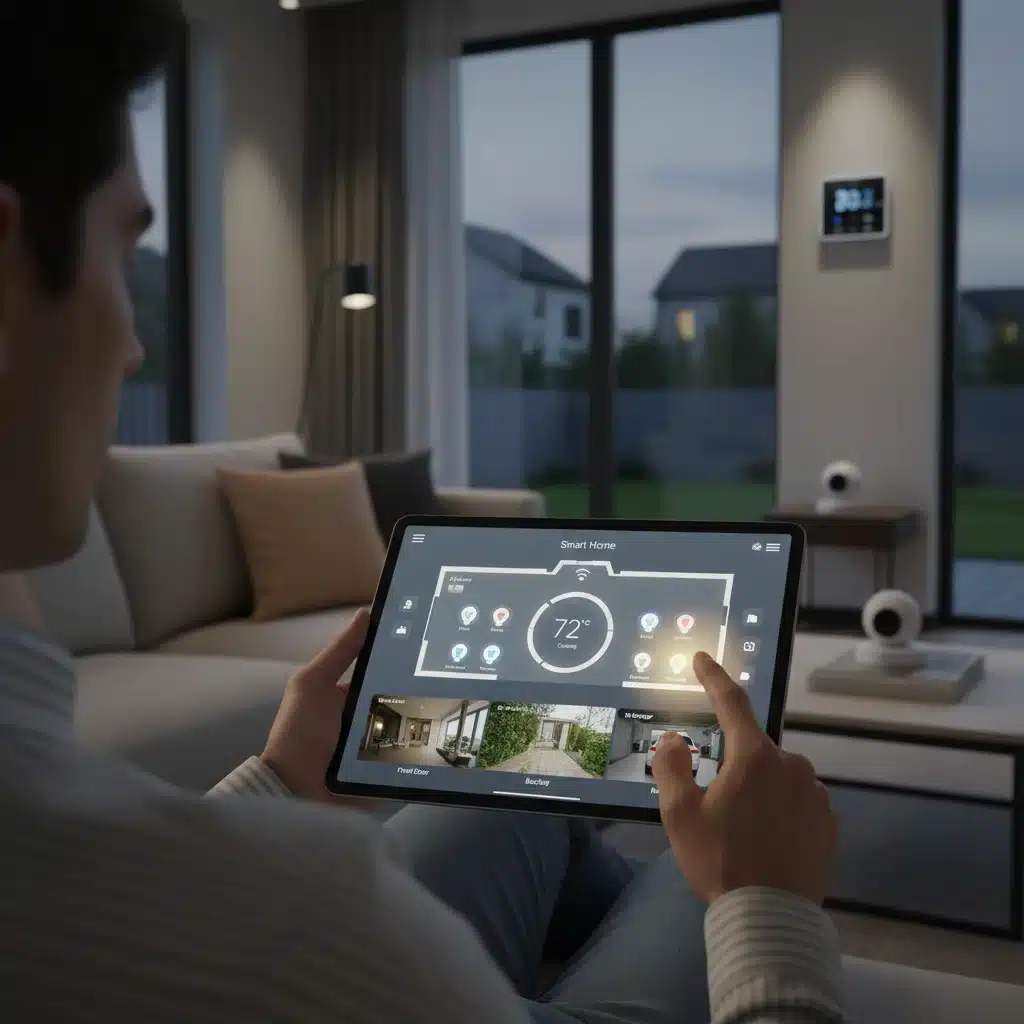
Now that your new devices are individually set up and functioning, it’s time for the core of smart device integration: connecting them to your primary smart home hub or platform (Alexa, Google Home, HomeKit, SmartThings, etc.). The exact steps will vary slightly depending on your platform, but the general process is similar.
For Amazon Alexa:
- Open the Alexa app.
- Tap ‘Devices’ at the bottom.
- Tap the ‘+’ icon in the top right corner and then ‘Add Device.’
- Select the category of your device (e.g., ‘Light,’ ‘Plug,’ ‘Camera’) or ‘Other’ if not listed.
- Follow the on-screen instructions. Alexa will typically search for discoverable devices or prompt you to enable a specific ‘skill’ for the device’s brand.
- Once discovered, you can assign it to a room and give it a friendly name.
For Google Home:
- Open the Google Home app.
- Tap the ‘+’ icon in the top left corner and then ‘Set up device.’
- Choose ‘New devices’ or ‘Works with Google Home’ if it’s a device that requires linking an account.
- If linking an account, search for the device’s brand and follow the prompts to link your accounts.
- Once linked or discovered, assign the device to a room and give it a name.
For Apple HomeKit:
- Open the Home app.
- Tap the ‘+’ icon in the top right corner and then ‘Add Accessory.’
- Use your iPhone or iPad camera to scan the HomeKit setup code (usually a QR code) found on the device or its packaging.
- Follow the on-screen prompts to add the device, assign it to a room, and give it a name.
For Samsung SmartThings:
- Open the SmartThings app.
- Tap the ‘+’ icon in the top right corner and then ‘Add device.’
- Select the device category or search for the brand.
- Follow the specific instructions for your device, which might involve scanning a QR code, pressing a button on the device, or logging into a linked account.
After successful integration, test the device’s functionality through your main smart home app or via voice commands to your smart assistant. Ensure it responds reliably and accurately. If you encounter issues, refer to the troubleshooting section below.
Step 6: Configuring Routines, Automations, and Scenes
The true power of smart device integration comes alive when devices work together in automated routines and scenes. This is where you move beyond simple on/off control and create a truly intelligent home. Most smart home platforms offer robust automation capabilities.
Routines/Automations:
These are ‘if this, then that’ statements. For example:
- ‘If I say "Good Morning," then turn on kitchen lights, start the coffee maker (via smart plug), and play the news.’
- ‘If the smart motion sensor detects movement in the hallway after 10 PM, then turn on the hallway light to 20% brightness.’
- ‘If the smart thermostat detects the room temperature drops below 68°F, then turn on the smart space heater.’
Think about your daily habits and how your new devices can contribute to automating them. This can involve scheduling, motion detection, time-based triggers, or even the state of other smart devices.
Scenes:
Scenes allow you to adjust multiple devices to predefined settings with a single command or tap. Examples include:
- ‘Movie Night’ scene: Dim living room lights, turn on the TV, and close smart blinds.
- ‘Away’ scene: Turn off all lights, arm the security system, and adjust the thermostat to an energy-saving temperature.
- ‘Relax’ scene: Change smart lights to a warm, soft color, play calming music on your smart speaker, and lower the smart blinds.
Experiment with different routines and scenes. Start simple and gradually build up complexity as you become more comfortable. The goal is to create a home that adapts to your needs and preferences without constant manual input, making your new gadgets feel like integral parts of your daily life.
Troubleshooting Common Integration Issues
Even with careful planning, you might encounter hiccups during smart device integration. Here are some common issues and their solutions:
- Device Not Discoverable:
- Ensure the device is powered on and in pairing mode.
- Check if your smart home hub/app is actively searching for devices.
- Verify that the device is within range of your Wi-Fi router or smart home hub (for Zigbee/Z-Wave).
- Confirm your router’s 2.4GHz band is enabled and the device is trying to connect to it.
- Temporarily disable your 5GHz Wi-Fi band during setup if your router supports it.
- Incompatible Protocols:
- If your device uses Zigbee or Z-Wave and your hub doesn’t have a built-in radio for these, you’ll need an external bridge (e.g., a dedicated Zigbee hub or Z-Wave stick).
- For Matter devices, ensure your hub is Matter-compatible and updated.
- Weak Wi-Fi Signal:
- Move the device closer to your router or install a Wi-Fi extender/mesh node.
- Check for physical obstructions (thick walls, large appliances) that might interfere with the signal.
- Account Linking Problems:
- Double-check your login credentials for the device’s proprietary app.
- Ensure you’ve granted all necessary permissions during the linking process.
- Sometimes, unlinking and relinking the account can resolve the issue.
- Device Unresponsive/Laggy:
- Restart the device (power cycle it).
- Restart your smart home hub and router.
- Check for pending firmware updates for the device and your hub.
- Ensure your network isn’t overloaded with too many devices or heavy streaming.
- Firmware Update Failures:
- Ensure a stable internet connection during the update process.
- Do not power off the device during an update.
- If issues persist, contact the manufacturer’s support.
- Interference:
- Other wireless devices (cordless phones, microwaves) can interfere with Wi-Fi or Zigbee signals. Try to move devices away from potential interference sources.
When troubleshooting, always isolate the problem. Is it just one device? Is it a specific command? Does it work with the native app but not the main hub? This systematic approach will help you pinpoint the root cause.
Maintaining Your Integrated Smart Home in 2026
Successful smart device integration isn’t a one-time event; it’s an ongoing process of maintenance and optimization. To ensure your smart home remains efficient, secure, and responsive, consider these best practices:
- Regular Firmware Updates: Always keep your smart devices and hubs updated to the latest firmware. These updates often include performance enhancements, new features, and crucial security patches.
- Network Monitoring: Periodically check your Wi-Fi network’s performance. If you notice slowdowns or dropouts, investigate the cause. Tools like network analyzers can help identify congestion or interference.
- Security Audits: Your smart home is only as secure as its weakest link. Use strong, unique passwords for all device accounts. Enable two-factor authentication (2FA) wherever possible. Regularly review privacy settings for each device and linked service.
- Device Placement: Re-evaluate device placement if you experience connectivity issues. Sometimes a slight repositioning can significantly improve signal strength.
- Decluttering: If you add devices, you might also need to remove old ones. Unused or redundant smart devices can create network clutter and potential security vulnerabilities.
- Backup Configurations: If your smart home hub allows it, regularly back up your configurations, routines, and scenes. This can be a lifesaver if you ever need to reset your system or switch to a new hub.
- Staying Informed: The smart home industry is dynamic. Stay informed about new technologies (like Matter’s continued evolution), security threats, and best practices from reputable tech blogs and forums.
By actively maintaining your integrated smart home, you’ll not only prolong the life of your devices but also ensure that your connected living space continues to deliver on its promise of convenience, efficiency, and security well into 2026 and beyond.
The Future of Smart Device Integration: Matter and Beyond
As we navigate 2026, the smart home industry is still buzzing with the potential of Matter, the new connectivity standard. Matter aims to simplify smart device integration by providing a universal language for devices, regardless of brand or platform. While not all devices are Matter-certified yet, its adoption is growing, promising a future where ‘Works with’ badges become less necessary, and true plug-and-play functionality becomes the norm.
Beyond Matter, we can anticipate further advancements:
- Enhanced AI and Machine Learning: Smart homes will become even more predictive, understanding complex patterns in your behavior to proactively adjust settings without explicit commands.
- Edge Computing: More processing will happen on the devices themselves (at the ‘edge’ of the network), reducing reliance on cloud services, improving response times, and enhancing privacy.
- Greater Energy Efficiency: Advanced sensors and AI will optimize energy consumption at an even more granular level, leading to significant savings and a reduced environmental footprint.
- Augmented Reality for Setup: Imagine using AR on your phone to visualize where to place a new sensor or troubleshoot a connection issue in real-time.
- Biometric Integration: Secure and seamless authentication using facial recognition, fingerprints, or even gait analysis for personalized home experiences.
The journey of smart device integration is continuous. Each new device, each new protocol, and each new innovation brings us closer to a truly intelligent home that serves our needs effortlessly. By understanding the current landscape and preparing for the future, you can ensure your smart home remains at the cutting edge of technology, providing comfort, convenience, and peace of mind for years to come.
Conclusion: Mastering Your Connected Home in 2026
Integrating new smart devices into your existing ecosystem in 2026 doesn’t have to be a daunting task. By following a structured approach—starting with understanding your current setup, defining your needs, meticulously verifying compatibility, preparing your network, and systematically setting up each device—you can ensure a smooth and successful transition.
Remember that the true value of a smart home lies in the seamless interaction between its components. It’s about creating a harmonious environment where devices communicate intelligently, automate routines, and respond to your commands effortlessly. This guide has provided you with the essential knowledge and actionable steps to confidently add up to five new gadgets, transforming your residence into a more efficient, comfortable, and secure living space.
Embrace the power of smart device integration. Stay proactive with updates, maintain your network, and explore the endless possibilities of automation. Your smart home is a dynamic entity, constantly evolving with new technologies and your changing needs. By mastering these integration techniques, you’re not just adding devices; you’re building a smarter future for yourself and your family. Enjoy the journey of creating your perfectly connected home!