Mastering Smart Lighting Scenes: Your 2026 Guide to Personalized Ambiance
Welcome to the future of home illumination! In 2026, smart lighting has evolved far beyond simple on/off controls and dimming. We’re now talking about creating intricate, dynamic, and truly personalized smart lighting scenes that can transform your living space with a single command. Imagine walking into a room and having the lighting instantly adapt to your mood, activity, or even the time of day. This isn’t science fiction; it’s the reality of advanced smart lighting scenes.
This comprehensive tutorial will guide you through the exciting world of smart lighting scenes, helping you unlock the full potential of your smart home. We’ll delve into the technology, the creative possibilities, and practical steps to design seven distinct and personalized ambiance settings. Whether you’re a smart home novice or a seasoned enthusiast, get ready to elevate your home’s atmosphere and enhance your daily life with the magic of light.
The Evolution of Smart Lighting: Beyond the Basics
Gone are the days when smart lighting meant just controlling a bulb from your phone. Today, smart lighting systems are sophisticated networks of interconnected devices, capable of millions of color combinations, tunable white light (from warm to cool), and seamless integration with other smart home components like thermostats, speakers, and security systems. The core of this evolution lies in the ability to create complex smart lighting scenes.
What Exactly Are Smart Lighting Scenes?
At its heart, a smart lighting scene is a pre-programmed configuration of light settings for one or more smart bulbs or fixtures. This configuration includes specific brightness levels, colors, color temperatures, and even dynamic effects (like fading or pulsing). Instead of manually adjusting each light, you activate a scene, and all programmed lights instantly adjust to their predefined settings. Think of it as a symphony of light, orchestrated to perfection with a single touch or voice command.
Why Invest in Advanced Smart Lighting Scenes in 2026?
- Enhanced Comfort and Mood: Lighting profoundly impacts our mood and well-being. Tailored smart lighting scenes can create a relaxing sanctuary, an energetic workspace, or a vibrant party atmosphere.
- Increased Convenience: No more fumbling with multiple switches. A single command sets the perfect ambiance for any activity.
- Energy Efficiency: Optimized scenes can ensure lights are only as bright as needed, and integration with motion sensors can further reduce energy waste.
- Personalization: Your home should reflect your personality. Smart lighting scenes offer unparalleled customization to match your aesthetic and lifestyle.
- Future-Proofing: With advancements in AI and automation, smart lighting systems are becoming more intuitive, learning your preferences and even suggesting new smart lighting scenes.
Getting Started: The Essentials for Creating Smart Lighting Scenes
Before diving into scene creation, ensure you have the right foundation. By 2026, most smart lighting systems are robust and user-friendly, but a few key components are essential.
1. Smart Bulbs and Fixtures
Invest in quality smart bulbs or integrated fixtures that offer a wide range of colors (RGBW or RGBWW) and tunable white light. Popular brands like Philips Hue, Nanoleaf, Govee, and LIFX continue to lead the market, offering excellent ecosystems for creating sophisticated smart lighting scenes.
2. A Reliable Smart Home Hub or App
Most smart lighting systems come with their own dedicated app, which serves as your primary control center. For more advanced integration and cross-device communication, a central smart home hub (like Apple HomeKit, Google Home, Amazon Alexa, or Samsung SmartThings) is invaluable. These hubs allow you to create complex automations that involve not just lights but also other smart devices.
3. Understanding Basic Lighting Principles
Even with smart technology, a basic understanding of lighting principles will elevate your smart lighting scenes. Consider:
- Brightness (Lumen): How intense do you need the light to be?
- Color Temperature (Kelvin): Warm light (2700K-3000K) is cozy, while cool light (4000K-5000K) is energizing.
- Color (Hue, Saturation, Brightness): Beyond white, what specific colors enhance the mood?
- Direction and Layers: How different light sources (overhead, accent, task) combine to create depth.
Step-by-Step Guide to Creating 7 Personalized Smart Lighting Scenes
Now, let’s get creative! We’ll explore seven distinct smart lighting scenes designed to cater to various activities and moods throughout your day. Remember, these are starting points; feel free to customize them to your heart’s content.
Scene 1: The Energizing Morning Wake-Up
Start your day gently and naturally. This scene mimics the sunrise, gradually increasing light to help you wake up refreshed.
- Goal: Gradual, natural awakening.
- Lights Involved: Bedroom main lights, bedside lamps.
- Settings:
- Start Time: 30 minutes before your alarm.
- Initial Brightness: 1%
- Initial Color Temperature: Very warm white (2200K – like a sunrise).
- Progression: Over 30 minutes, gradually increase brightness to 70% and shift color temperature to a cooler white (4000K – bright daylight).
- Automation: Integrate with your smart alarm clock or schedule it daily.
- Advanced Tip: Pair with smart blinds that slowly open and a smart speaker playing gentle nature sounds.
Scene 2: Focused Work/Study Environment
Optimize your home office or study area for productivity and concentration with crisp, clear lighting.
- Goal: High concentration, reduced eye strain.
- Lights Involved: Desk lamp, overhead office lights, ambient room lights.
- Settings:
- Desk Lamp: Bright (90-100%), cool white (5000K-5500K) for optimal task visibility.
- Overhead Lights: Medium brightness (60-70%), neutral white (4500K) to reduce shadows.
- Ambient Lights: Dim (20-30%), neutral white (4000K) for indirect illumination, preventing harsh contrasts.
- Automation: Trigger with a voice command like “Hey Google, activate focus mode.”
- Advanced Tip: Integrate with a smart presence sensor that turns off lights when you leave the room for extended periods.
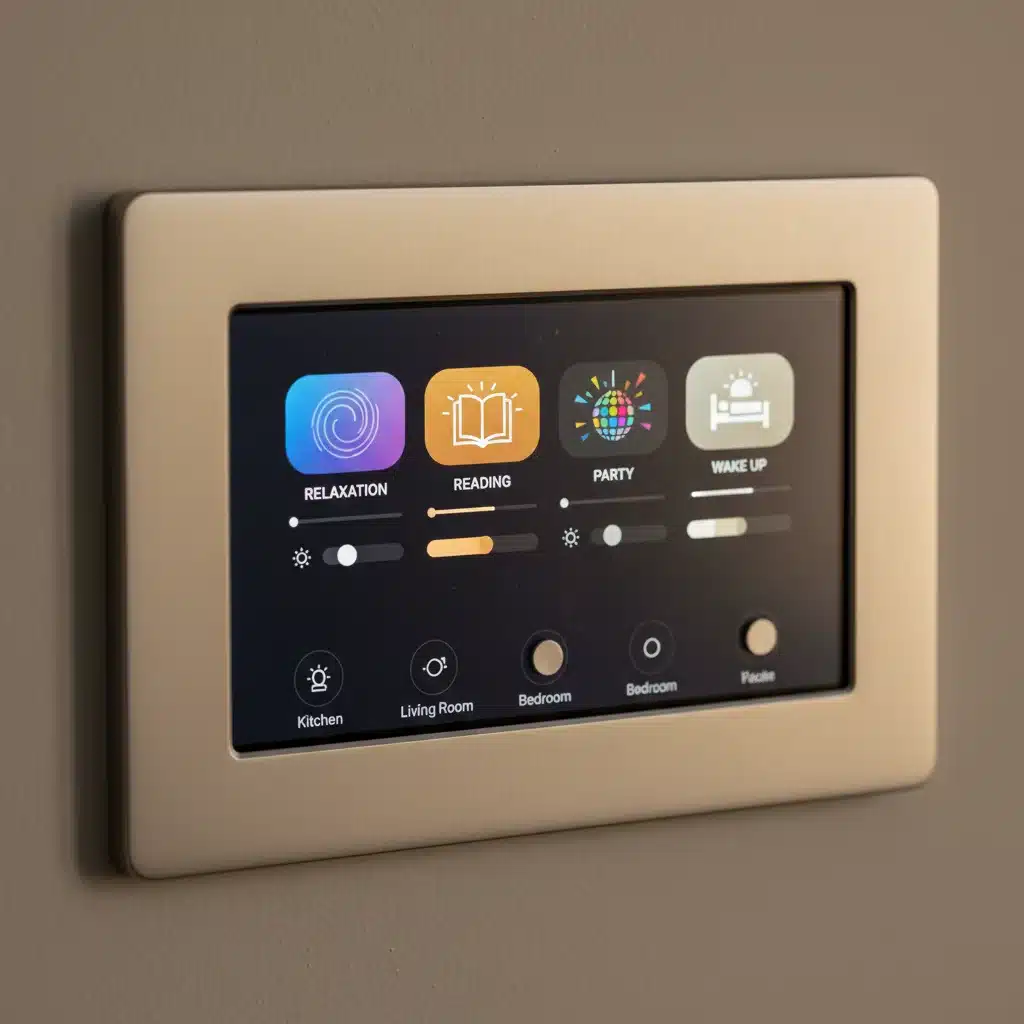
Scene 3: Cozy Evening Relaxation
Unwind after a long day with soft, warm lighting that promotes calmness and comfort.
- Goal: Promote relaxation, reduce stress.
- Lights Involved: Living room lamps, indirect cove lighting, accent lights.
- Settings:
- All Lights: Low brightness (20-30%).
- Color Temperature: Very warm white (2700K-2800K) or a subtle amber hue.
- Accent Lights: Highlight artwork or architectural features with a gentle, warm glow.
- Automation: Schedule to activate around sunset, or use a voice command like “Alexa, relax mode.”
- Advanced Tip: Pair with a smart thermostat to adjust the temperature slightly warmer and a smart speaker playing calming music.
Scene 4: Dynamic Entertainment/Party Mode
Transform your living room into an exciting entertainment hub with vibrant, dynamic lighting.
- Goal: Energetic, festive atmosphere.
- Lights Involved: All main living room lights, LED strips behind the TV or furniture, accent lights.
- Settings:
- Main Lights: Medium brightness (50-70%), rotating through vibrant colors (e.g., blue, purple, pink) or a custom color scheme.
- LED Strips: Synchronized to music (if your system supports it) or set to a fast color cycle.
- Accent Lights: Complementary colors, slightly dimmed.
- Automation: Trigger with a voice command “Hey Siri, party time!” or integrate with your smart speaker’s music playback.
- Advanced Tip: Some systems allow lights to react to audio input, creating a truly immersive experience. Consider strobe effects or quick color changes for specific moments.
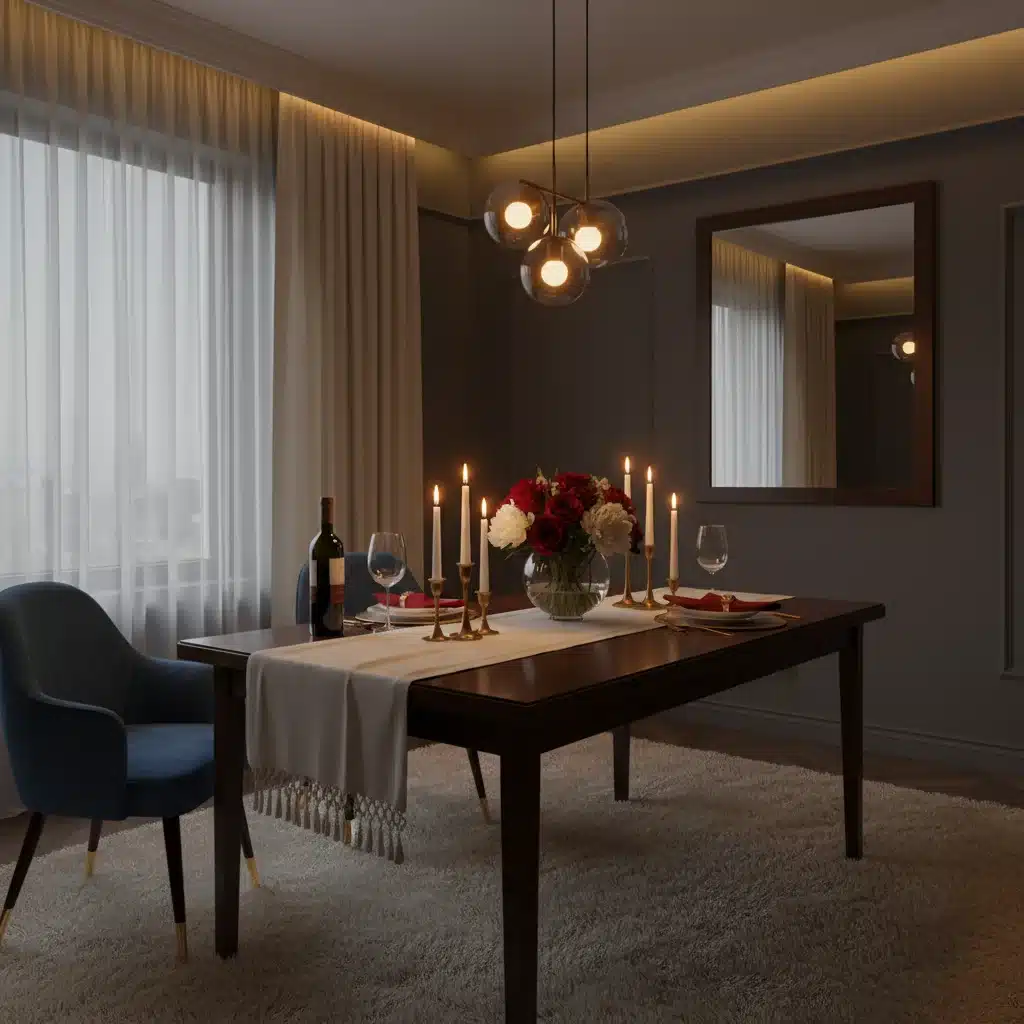
Scene 5: Romantic Dinner Ambiance
Create an intimate and elegant setting for a special meal at home.
- Goal: Intimate, sophisticated, and warm.
- Lights Involved: Dining room chandelier/pendant lights, wall sconces, perhaps a few smart candles.
- Settings:
- Chandelier/Pendant: Very dim (10-15%), extremely warm white (2200K) or a deep amber.
- Wall Sconces: Dim (20%), warm white (2700K) to add depth without glare.
- Smart Candles: Flickering warm light for added realism.
- Automation: Trigger with a “Dinner Scene” voice command.
- Advanced Tip: Ensure no harsh overhead light directly hits the table. Use indirect lighting to create a flattering glow.
Scene 6: Movie Night Immersion
Enhance your home theater experience with lighting that complements the on-screen action without causing distraction.
- Goal: Immersive viewing, reduced glare.
- Lights Involved: Bias lighting behind the TV, dim ambient lighting, floor lamps.
- Settings:
- Bias Lighting: Set to a neutral white (6500K) at very low brightness (5-10%) to reduce eye strain, or match the dominant color on screen if your system supports dynamic syncing.
- Ambient Lights: Dimmed to the lowest possible setting (1-5%), warm white or off completely.
- Floor Lamps: Off or very dim, pointing away from the screen.
- Automation: Trigger when your smart TV turns on, or with a voice command like “Alexa, movie time.”
- Advanced Tip: Some smart lighting systems can directly sync with your TV’s content, dynamically changing colors to match the picture.
Scene 7: Gentle Night Light/Path Lighting
Navigate your home safely at night without disturbing others, using subtle, low-level illumination.
- Goal: Safe navigation, minimal disruption.
- Lights Involved: Hallway lights, bathroom lights, bedroom nightlights.
- Settings:
- All Lights: Extremely low brightness (1-5%).
- Color Temperature: Very warm red or amber (around 1800K-2000K) as red light has the least impact on sleep patterns.
- Automation: Trigger with motion sensors in hallways or bathrooms, active between specific night hours (e.g., 10 PM to 6 AM).
- Advanced Tip: Ensure the light is just enough to see obstacles, not to fully illuminate the room.
Advanced Tips and Tricks for Smart Lighting Scenes in 2026
Once you’ve mastered the basics, here’s how to take your smart lighting scenes to the next level.
1. Leverage Sensor Integration
Motion sensors, door/window sensors, and even ambient light sensors can add incredible intelligence to your smart lighting scenes. Imagine lights turning on automatically when you enter a room and adjusting brightness based on natural daylight.
2. Time-Based and Geofencing Automations
Schedule scenes to activate at specific times (e.g., “Evening Relaxation” at sunset) or based on your location (e.g., “Welcome Home” scene activates when your phone enters a geofenced area around your house).
3. Voice Control is Your Best Friend
Refine your voice commands. Instead of saying “Turn on living room lights to 50% warm white,” simply say “Activate Movie Night.” This is where smart lighting scenes truly shine in terms of convenience.
4. Explore Dynamic Effects and Formulas
Many smart lighting apps offer dynamic effects beyond simple color changes, such as flickering candle effects, fireplace simulations, or even storm simulations. Some advanced users can even write custom scripts or use IFTTT (If This Then That) for highly specific automations.
5. Grouping Lights Logically
Organize your lights into logical groups (e.g., “Kitchen Main,” “Living Room Lamps,” “Bedroom Accents”) within your smart home app. This makes creating and managing smart lighting scenes much easier.
6. Experiment with Color Psychology
Different colors evoke different emotions. Blue for calmness, green for nature, red for passion or energy. Play with color to see how it affects your mood and the overall feel of a room.
7. Regular Review and Refinement
Your preferences might change, or new smart lighting products might offer better capabilities. Periodically review your smart lighting scenes and adjust them to ensure they still meet your needs and leverage the latest technology.
Troubleshooting Common Smart Lighting Scene Issues
Even with advanced systems, you might encounter minor hiccups. Here are quick solutions to common problems:
- Lights Not Responding: Check power, Wi-Fi connectivity, and hub status. A simple restart of the bulb or hub often resolves this.
- Scenes Not Activating: Verify schedules, sensor triggers, and voice command phrasing in your app. Ensure devices are assigned to the correct rooms/groups.
- Inconsistent Brightness/Color: Calibrate bulbs if your system allows, or check for firmware updates. Ensure all bulbs in a scene are from compatible brands or integrated correctly.
- Lag or Delay: Improve your Wi-Fi signal strength, reduce network congestion, or consider a dedicated smart home hub that uses Zigbee or Z-Wave for better local control.
The Future of Smart Lighting Scenes: What’s Next?
Looking ahead, smart lighting scenes will become even more intuitive and integrated. Expect:
- AI-Powered Personalization: Systems that learn your habits and preferences, automatically suggesting and creating new smart lighting scenes.
- Bio-Adaptive Lighting: Lights that automatically adjust color temperature and brightness throughout the day to support your circadian rhythm, improving sleep and well-being.
- Advanced Presence Detection: More sophisticated sensors that can distinguish between individuals, offering personalized lighting as you move through your home.
- Seamless XR Integration: Lighting that responds to virtual and augmented reality experiences, blurring the lines between the digital and physical worlds.
Conclusion: Illuminate Your Life with Personalized Ambiance
Creating personalized smart lighting scenes is one of the most impactful ways to enhance your smart home experience. It’s about more than just convenience; it’s about crafting environments that genuinely support your lifestyle, mood, and well-being. By following this 2026 tutorial, you’re now equipped with the knowledge and inspiration to design a home that not only looks spectacular but also feels uniquely yours.
Experiment, explore, and most importantly, have fun transforming your living spaces with the endless possibilities of advanced smart lighting scenes. Your perfect ambiance is just a scene away!