Securing Your Smart Home Network: 6 Essential Steps for 2026
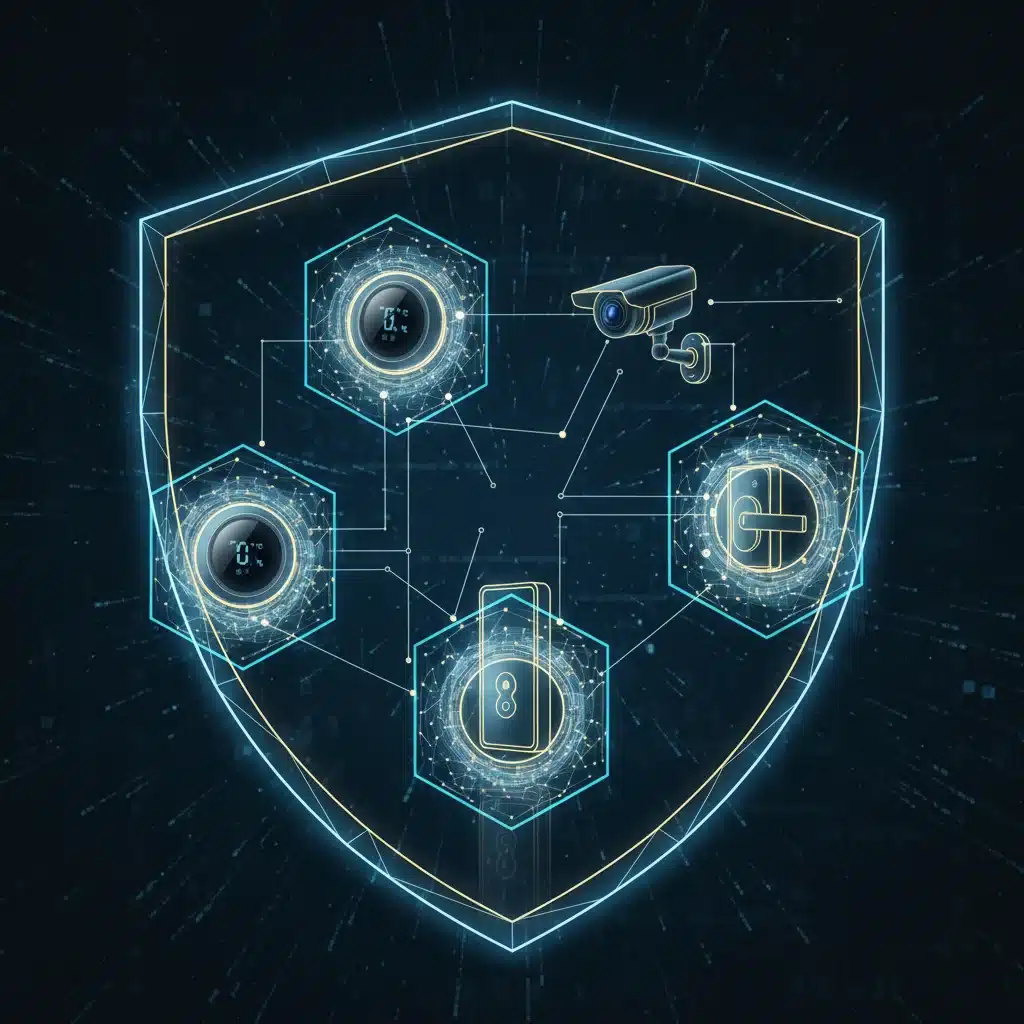
The year is 2026, and your home is smarter than ever. From intelligent thermostats that learn your preferences to security cameras that monitor every corner, and even smart refrigerators that manage your groceries, the convenience of a connected home is undeniable. However, this interconnectedness comes with an increasing need for robust security. As technology advances, so do the methods of cybercriminals. Therefore, understanding how to effectively protect your smart home network is no longer optional; it’s absolutely essential.
Your smart home network is the central nervous system connecting all your devices. A breach in this system can compromise not just your privacy but also your physical safety and financial well-being. Imagine a scenario where a hacker gains access to your smart locks, your security footage, or even your personal data stored on connected devices. The implications are severe, ranging from identity theft to physical intrusion. This comprehensive guide will walk you through 6 essential steps to ensure your smart home security is impenetrable in 2026 and beyond.
The Evolving Landscape of Smart Home Security Threats
Before diving into solutions, it’s crucial to understand the threats. Cybercriminals are constantly innovating, developing new ways to exploit vulnerabilities in smart devices and networks. In 2026, we’re seeing more sophisticated phishing attacks targeting smart device credentials, advanced malware designed to hijack IoT (Internet of Things) devices for botnets, and even ransomware specifically tailored for smart home systems. The sheer volume of connected devices in a typical home also creates a larger attack surface, meaning more potential entry points for malicious actors.
Furthermore, many smart devices are designed for convenience, often at the expense of security. Default passwords, unpatched firmware, and insecure communication protocols are common weaknesses that hackers readily exploit. The rise of AI-powered vulnerabilities and attacks means that a proactive and multi-layered approach to smart home security is more critical than ever.
This article aims to provide you with actionable strategies to fortify your defenses, ensuring that your smart home remains a sanctuary, not a vulnerability. Let’s explore the essential steps to achieve robust smart home network security.
1. Implement Strong, Unique Passwords and Multi-Factor Authentication (MFA) Across All Devices
This might seem like basic advice, but it’s the bedrock of any solid smart home security strategy. Far too many users still rely on default passwords or easily guessable combinations for their smart devices and Wi-Fi networks. In 2026, this is simply unacceptable. Every single smart device, from your router to your smart light bulbs, needs a strong, unique password.
The Power of Strong Passwords
A strong password should be at least 12-16 characters long, a mix of uppercase and lowercase letters, numbers, and special characters. Avoid using personal information, common words, or sequential numbers. Think of a passphrase – a string of unrelated words that is easy for you to remember but hard for a computer to guess. For example, ‘BlueElephantJumpedOverTheMoon!7’ is far better than ‘password123’.
The Imperative of Multi-Factor Authentication (MFA)
Beyond strong passwords, multi-factor authentication (MFA) adds a critical layer of security. MFA requires two or more verification factors to gain access, such as something you know (password), something you have (a phone or hardware token), or something you are (biometrics like a fingerprint or face scan). Most modern smart home platforms and devices now support MFA. Enable it wherever possible. This means that even if a hacker manages to steal your password, they won’t be able to access your account without the second factor.
Many smart home apps offer MFA through text message codes, authenticator apps (like Google Authenticator or Authy), or built-in biometric verification on your smartphone. Make it a habit to check for and enable MFA during the setup of any new smart device or service. This significantly reduces the risk of unauthorized access to your smart home network.

Password Managers: Your Best Friend
Managing dozens of unique, complex passwords can be daunting. This is where a reputable password manager comes into play. Tools like LastPass, 1Password, or Bitwarden can generate strong passwords for you, store them securely in an encrypted vault, and even auto-fill them when you log in to your smart device apps. This practice is vital for maintaining robust smart home security without the headache of remembering every single password.
2. Regularly Update Firmware and Software on All Smart Devices and Your Router
Software vulnerabilities are a constant threat in the digital world. Manufacturers frequently release firmware and software updates to patch these vulnerabilities, improve performance, and add new features. Ignoring these updates leaves your devices exposed to known exploits that hackers can easily leverage to gain access to your smart home network.
The Importance of Timely Updates
Think of software updates as vaccines for your devices. Just as flu shots protect you from new strains of viruses, software updates protect your smart devices from new cyber threats. Many smart devices, especially cheaper ones, might not have automatic update features. It’s your responsibility to actively check for and install these updates.
How to Manage Updates
- Enable Automatic Updates: Wherever possible, enable automatic firmware and software updates for your smart devices, smart home hubs, and especially your Wi-Fi router.
- Manual Checks: For devices without automatic updates, make it a habit to check the manufacturer’s website or the device’s companion app once a month for new firmware.
- Router Updates: Your router is the gateway to your entire network. Ensure its firmware is always up-to-date. Most modern routers allow you to check for and install updates directly from their web interface.
- Smart Home Hubs: If you use a central smart home hub (e.g., SmartThings, Hubitat, HomeKit), ensure its software is always current, as it often manages the security of many connected devices.
Neglecting updates is one of the easiest ways for cybercriminals to compromise your smart home network. Make it a priority to keep everything patched and current.
3. Segment Your Network Using a Guest Network or VLANs
Network segmentation is a powerful security strategy that involves dividing your home network into smaller, isolated segments. This prevents a compromised device in one segment from affecting other, more critical parts of your network. For smart home security, this is particularly effective.
The Benefit of Guest Networks
Most modern routers offer a guest Wi-Fi network feature. This network operates separately from your main network, allowing guests (or less trusted smart devices) to access the internet without having direct access to your primary devices (computers, smartphones, network-attached storage). You can use this for devices that don’t handle sensitive data or require minimal interaction with other devices.
Advanced Segmentation with VLANs
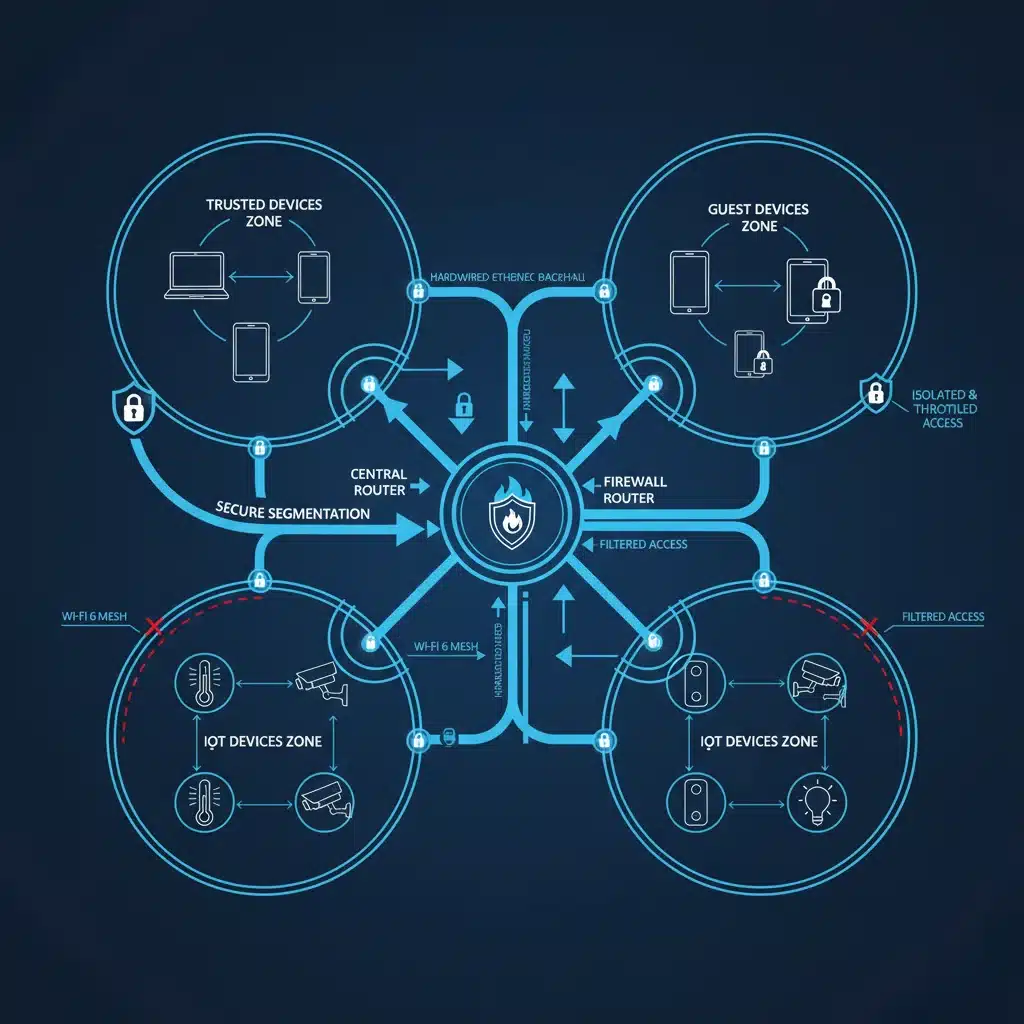
For more advanced users, Virtual Local Area Networks (VLANs) offer a more granular approach to network segmentation. A VLAN allows you to logically group devices together, even if they are physically connected to the same router or switch. You could create a separate VLAN for:
- IoT Devices: All your smart light bulbs, smart plugs, smart speakers, and other IoT gadgets.
- Security Devices: Your smart cameras, doorbells, and smart locks.
- Guest Devices: For visitors.
- Personal Devices: Your computers, smartphones, and tablets.
By isolating your smart devices on their own VLAN, you can restrict their ability to communicate with your personal computers and sensitive data. If an IoT device is compromised, the attacker’s access is contained within that specific VLAN, preventing them from moving laterally to your more valuable assets. This is a crucial step in strengthening your smart home network defense.
Implementing Network Segmentation
Implementing VLANs typically requires a router that supports this feature (often found in more advanced or business-grade routers) and some technical know-how. However, the security benefits for your smart home network are immense. If you’re unsure, consulting with an IT professional can help set up a secure segmented network.
4. Review and Limit Device Permissions and Data Sharing
When you set up a new smart device, it often asks for various permissions. It’s easy to click ‘Allow’ without fully understanding what you’re granting access to. In 2026, with increasing concerns about data privacy, scrutinizing these permissions is more important than ever for your smart home network security.
Understanding Permissions
Many smart devices collect a wealth of data: your voice commands, video footage, location data, usage patterns, and even biometric information. While some data collection is necessary for the device to function, not all of it is. For example, does your smart light bulb really need access to your microphone or location services? Probably not.
Steps to Limit Permissions
- Read the Privacy Policy: Before purchasing or setting up a device, take a moment to read its privacy policy. Understand what data it collects, how it’s used, and with whom it’s shared.
- Grant Minimal Permissions: During setup, only grant the absolute minimum permissions required for the device to function. If a device asks for a permission that seems unrelated to its core function, deny it.
- Regularly Review: Periodically review the permissions granted to your smart devices through their respective apps. You might find that you’ve granted unnecessary access in the past.
- Opt-Out of Data Sharing: Many manufacturers offer options to opt out of certain data collection or sharing practices, often buried deep within settings. Seek these out and disable them if you’re uncomfortable.
By actively managing device permissions and understanding data sharing practices, you can significantly enhance your privacy and reduce the attack surface on your smart home network. Less data collected means less data that can be potentially compromised.
5. Use a Reputable VPN, Especially When Accessing Your Home Network Remotely
A Virtual Private Network (VPN) encrypts your internet connection, making it much harder for cybercriminals to intercept your data. While often associated with general internet browsing, a VPN is an invaluable tool for enhancing smart home security, especially when you need to access your home network or devices remotely.
Why a VPN is Crucial for Smart Homes
Many smart home systems allow you to control devices from outside your home, using your smartphone or a web portal. When you access your home network remotely, your connection might not always be secure, especially if you’re using public Wi-Fi. A VPN creates a secure, encrypted tunnel between your remote device and your home network, protecting your data from eavesdropping.
How to Integrate a VPN
- Client-Side VPN: Install a reputable VPN client on your smartphone, tablet, and laptop. Activate it whenever you’re connecting to your smart home remotely, particularly when using public Wi-Fi.
- Router-Level VPN: For the highest level of protection, consider a router that supports VPN client functionality. This means all devices connected to your home network (including smart devices that can’t run a VPN client themselves) will automatically have their traffic routed through the VPN, encrypting all outgoing connections. This is a significant boost to your overall smart home network security.
- Self-Hosted VPN: For the most tech-savvy, setting up your own VPN server on a dedicated device (like a Raspberry Pi) within your home network allows you to create a secure tunnel directly back to your home, giving you encrypted access to all your local devices from anywhere.
By encrypting your remote access, a VPN prevents attackers from intercepting your commands, passwords, and data as they travel across the internet. This is a vital layer of defense for your smart home network.
6. Implement a Robust Network Firewall and Intrusion Detection System (IDS)
Your router typically has a built-in firewall, but for comprehensive smart home security in 2026, you might need to go a step further. A firewall acts as a barrier between your home network and the internet, controlling incoming and outgoing traffic based on predefined security rules. An Intrusion Detection System (IDS) monitors network traffic for suspicious activity and alerts you to potential threats.
Optimizing Your Router’s Firewall
Start by ensuring your router’s built-in firewall is properly configured and enabled. Disable any unnecessary ports or services that are open to the internet. Review your router’s security settings and ensure that features like Universal Plug and Play (UPnP) are disabled if not absolutely necessary, as UPnP can create security vulnerabilities by automatically opening ports.
Advanced Firewall Solutions
For enhanced protection, consider:
- Dedicated Firewall Appliance: For serious smart home network protection, a dedicated hardware firewall or a next-generation firewall (NGFW) can offer more advanced features than a standard router, including deep packet inspection, application control, and threat intelligence feeds.
- Software Firewalls: While primarily for individual computers, ensure any computers or servers on your network have their software firewalls enabled and properly configured.
The Role of an Intrusion Detection System (IDS)
An IDS monitors network traffic for signatures of known attacks or suspicious patterns. If it detects anything unusual, it can alert you (and sometimes even take automated action). While dedicated IDSs are often found in enterprise environments, some advanced routers and smart home security hubs are beginning to incorporate basic IDS functionalities. For the technically inclined, open-source solutions like Snort or Suricata can be deployed on a dedicated device (e.g., a Raspberry Pi) to monitor your smart home network traffic.
By actively managing your firewall and considering an IDS, you create a formidable defensive perimeter around your smart home network, making it significantly harder for unauthorized access or malicious activity to occur.
Beyond the 6 Steps: Continuous Vigilance and Best Practices
While the six steps outlined above form the core of a robust smart home security strategy for 2026, remember that cybersecurity is an ongoing process, not a one-time setup. Here are some additional best practices to maintain a secure smart home:
Regular Security Audits
Periodically (e.g., quarterly or bi-annually) conduct a security audit of your smart home network. Review all connected devices, their settings, and permissions. Remove any devices you no longer use. Check for unpatched firmware. This proactive approach helps identify and address potential weaknesses before they can be exploited.
Be Wary of Public Wi-Fi
Avoid managing or accessing sensitive smart home settings or accounts while connected to unsecured public Wi-Fi networks. If you must, always use a VPN (as discussed in step 5).
Research Before You Buy
Before purchasing new smart devices, research their security track record and privacy policies. Opt for reputable brands that have a commitment to security and provide regular firmware updates. Avoid generic, unbranded devices that may have poor security implementations.
Physical Security Matters Too
Don’t forget the basics. Ensure your Wi-Fi router is in a secure location, out of easy reach of unauthorized individuals. Physical access to your router can allow someone to bypass many of your digital security measures.
Educate Your Household
If you live with others, ensure they understand the importance of smart home security. Educate them on strong passwords, recognizing phishing attempts, and the risks of connecting unknown devices to the network.
Backup Important Data
While primarily a data recovery strategy, backing up important data stored on smart devices (if applicable) or associated cloud services can mitigate the impact of a successful cyberattack, especially ransomware.
Conclusion: A Secure Future for Your Smart Home Network
The convenience and innovation of smart homes are here to stay, and they will only continue to grow. However, with great power comes great responsibility – the responsibility to protect your smart home network from the ever-present and evolving threats of the digital world. By diligently implementing these 6 essential steps for 2026 – strong passwords and MFA, regular updates, network segmentation, permission management, VPN usage, and robust firewalls – you can build a formidable defense.
Embrace a mindset of continuous vigilance. Regularly review your security posture, stay informed about new threats, and adapt your strategies as technology evolves. Your smart home should be a haven of comfort and efficiency, not a gateway for cybercrime. By prioritizing smart home security, you’re not just protecting your devices; you’re safeguarding your privacy, your peace of mind, and the sanctuary of your home for years to come.
Invest the time and effort now to secure your smart home network, and enjoy the benefits of connected living without the constant worry of cyber threats.