
Mastering Smart Home Scenes: Boost Daily Efficiency by 20% in Your U.S. Home
In the bustling landscape of modern American living, where every minute counts, the promise of a more efficient, comfortable, and responsive home is not just a luxury but a necessity. Enter the world of smart home scenes – the secret weapon for optimizing your daily routines and achieving a remarkable boost in efficiency. Imagine a home that anticipates your needs, adjusts to your presence, and manages its own energy consumption with minimal input from you. This isn’t science fiction; it’s the tangible reality offered by intelligently designed smart home scenes. For U.S. homeowners, understanding and implementing these powerful automations can translate into significant time savings, reduced energy bills, and an elevated quality of life.
This comprehensive guide will delve deep into the art and science of customizing smart home scenes. We’ll explore how to move beyond basic device control and craft intricate, multi-device automations that truly reflect your lifestyle. From the moment you wake up to the peaceful hours of bedtime, we’ll uncover strategies to integrate lighting, climate control, security, entertainment, and more into seamless, intuitive scenarios. Our goal is to equip you with the insider knowledge to transform your U.S. home into a finely tuned machine, capable of boosting your daily efficiency by an impressive 20% or more.
What Exactly Are Smart Home Scenes?
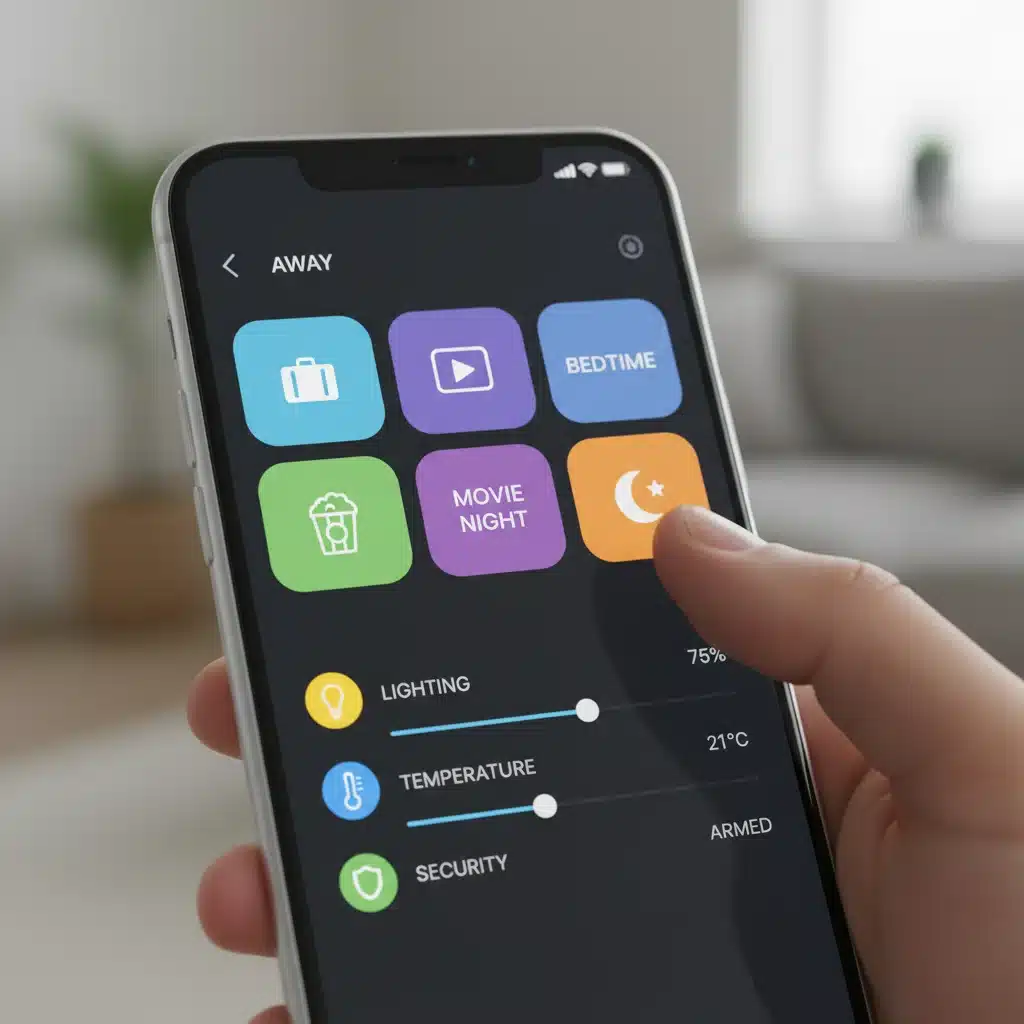
Before we dive into customization, let’s clarify what we mean by smart home scenes. At its core, a smart home scene is a pre-programmed set of actions that multiple smart devices execute simultaneously or in a specific sequence, triggered by a single command or event. Think of it as orchestrating a symphony of your smart devices to achieve a desired mood or functional state. Instead of individually turning on lights, adjusting the thermostat, and locking doors, a single command – whether it’s a voice prompt, a button press, or a schedule – can initiate a complex series of actions.
For example, a ‘Good Morning’ scene might: gradually brighten your bedroom lights, raise the thermostat a few degrees, start your coffee maker, and play a curated news briefing through your smart speaker. The power lies in this coordinated action, eliminating manual adjustments and ensuring your home is always optimized for your current activity or time of day. This level of integration is what truly differentiates a collection of smart devices from a truly smart home, providing unparalleled convenience and efficiency.
The Unparalleled Benefits of Customizing Smart Home Scenes for U.S. Households
The advantages of meticulously customizing smart home scenes extend far beyond mere convenience. For U.S. homeowners, these benefits translate into tangible improvements in daily life:
- Unlocking Unprecedented Efficiency: The most significant gain is in time and energy efficiency. By automating repetitive tasks, you free up valuable minutes each day. Imagine no longer needing to walk through your house turning off lights or adjusting the AC. A ‘Leaving Home’ scene can do it all instantly, ensuring no energy is wasted. This cumulative effect is how a 20% efficiency boost becomes achievable.
- Enhanced Comfort and Ambiance: Smart home scenes allow you to instantly transform the mood of any room. A ‘Movie Night’ scene can dim the lights, close the blinds, and activate your entertainment system with a single command. A ‘Relax’ scene might set soft lighting, play calming music, and adjust the temperature to your preferred comfort level. Your home becomes a dynamic environment, perfectly attuned to your desires.
- Improved Security and Peace of Mind: Integrate security devices into your scenes for greater protection. An ‘Away’ scene can arm your alarm, lock all doors, turn off non-essential lights, and even activate motion-sensing cameras. A ‘Good Night’ scene can lock all doors and windows, turn off all lights except a pathway to the bathroom, and activate exterior security lighting. This proactive approach significantly enhances your home’s security posture.
- Significant Energy Savings: By ensuring lights are off when not needed, thermostats are optimized for occupancy, and devices are powered down when you’re away, smart home scenes directly contribute to lower utility bills. Intelligent scheduling and sensor-based triggers prevent wasteful energy consumption, making your home greener and more economical.
- Simplified Daily Routines: From morning wake-ups to evening wind-downs, scenes streamline your daily life. They eliminate the mental load of remembering to perform various tasks, allowing you to focus on what matters most. This simplification reduces stress and creates a more harmonious living environment.
The Core Components of Effective Smart Home Scenes
To build truly effective smart home scenes, you need to understand the key elements involved. Most smart home ecosystems (like Apple HomeKit, Google Home, Amazon Alexa, Samsung SmartThings, etc.) provide the framework, but your creativity and understanding of your needs are paramount.
1. Triggers: The ‘When’ of Your Scene
A scene needs a trigger to activate it. Common triggers include:
- Manual Activation: A button press (physical or virtual in an app), a voice command (e.g., “Alexa, good morning”), or a tap on a smart display.
- Time-Based Schedules: Scenes that activate at specific times (e.g., “Every weekday at 7:00 AM”) or relative to sunrise/sunset (e.g., “30 minutes before sunset”).
- Sensor-Based Events: Motion sensors detecting presence, door/window sensors opening/closing, or even smart smoke detectors.
- Location-Based (Geofencing): Your smartphone’s GPS can trigger scenes when you leave or arrive home (e.g., “When I leave work, pre-cool the house”).
- Device State Change: When a specific device turns on or off, or reaches a certain threshold (e.g., “When the smart washing machine finishes, flash the kitchen lights”).
2. Actions: The ‘What’ Your Scene Does
Actions are the specific commands sent to your smart devices. A single scene can include multiple actions across various device types:
- Lighting: Turn on/off, set brightness, change color temperature, apply specific colors.
- Climate Control: Adjust thermostat temperature, turn on/off fans, activate humidifiers.
- Blinds/Shades: Open, close, set to a specific percentage.
- Audio/Video: Play music, turn on TV, select input, adjust volume.
- Security: Arm/disarm alarm, lock/unlock doors, activate cameras.
- Appliances: Turn on/off smart plugs connected to coffee makers, slow cookers, etc.
3. Conditions: The ‘If’ of Your Scene (Advanced)
Some smart home platforms allow for conditions, adding a layer of intelligence. For example, a ‘Good Morning’ scene might only activate if it’s a weekday and if the alarm was snoozed less than twice. This makes your smart home scenes even more dynamic and responsive to real-world scenarios.
Crafting Your Essential Smart Home Scenes for Daily Routines
Let’s walk through some of the most impactful smart home scenes you can create to revolutionize your daily routines. Remember, the key is to tailor these to your specific U.S. home and lifestyle.
The ‘Good Morning’ Scene: A Gentle Start to Your Day
Your morning routine sets the tone for the entire day. A well-designed ‘Good Morning’ scene can alleviate stress and ensure you start on the right foot.
- Trigger: Scheduled for 15 minutes before your alarm, or a specific voice command like “Good morning, smart home.”
- Actions:
- Bedroom lights gradually brighten over 5 minutes to mimic sunrise.
- Smart blinds slowly open to let in natural light.
- Thermostat adjusts to your preferred morning temperature (e.g., 72°F).
- Smart speaker plays a soft news briefing or your favorite morning playlist.
- Smart coffee maker (connected via a smart plug) begins brewing.
- Insider Tip: Integrate with your smart alarm clock. Some systems can link the ‘Good Morning’ scene to your actual wake-up time, making it adaptive.
The ‘Leaving Home’ Scene: Energy Savings and Security at Your Fingertips
This scene is crucial for both security and energy conservation. It ensures nothing is left on unnecessarily and your home is protected when you’re out.
- Trigger: Geofencing (when the last family member leaves a defined perimeter), a button press by the door, or a voice command “Leaving home.”
- Actions:
- All non-essential lights turn off.
- Thermostat adjusts to an energy-saving ‘away’ temperature (e.g., 78°F in summer, 65°F in winter).
- All smart locks engage.
- Security system arms (e.g., motion sensors, door/window sensors).
- Smart plugs for non-essential devices (e.g., TV, gaming consoles) power off to eliminate phantom load.
- Garage door closes (if smart).
- Insider Tip: Use door sensors on your primary exit. If the door closes and no one is detected inside, trigger the scene automatically after a short delay.
The ‘Welcome Home’ Scene: A Warm Reception
Returning to a welcoming home can significantly improve your mood after a long day.
- Trigger: Geofencing (when the first family member enters the defined perimeter), or a voice command “I’m home.”
- Actions:
- Selected lights (e.g., entryway, living room) turn on to a warm, inviting brightness.
- Thermostat adjusts to your preferred ‘home’ temperature.
- Security system disarms.
- Smart speaker plays background music.
- Smart blinds adjust to an open position.
- Insider Tip: Consider time-of-day conditions. If it’s after sunset, turn on more lights. If it’s daytime, focus on climate and music.
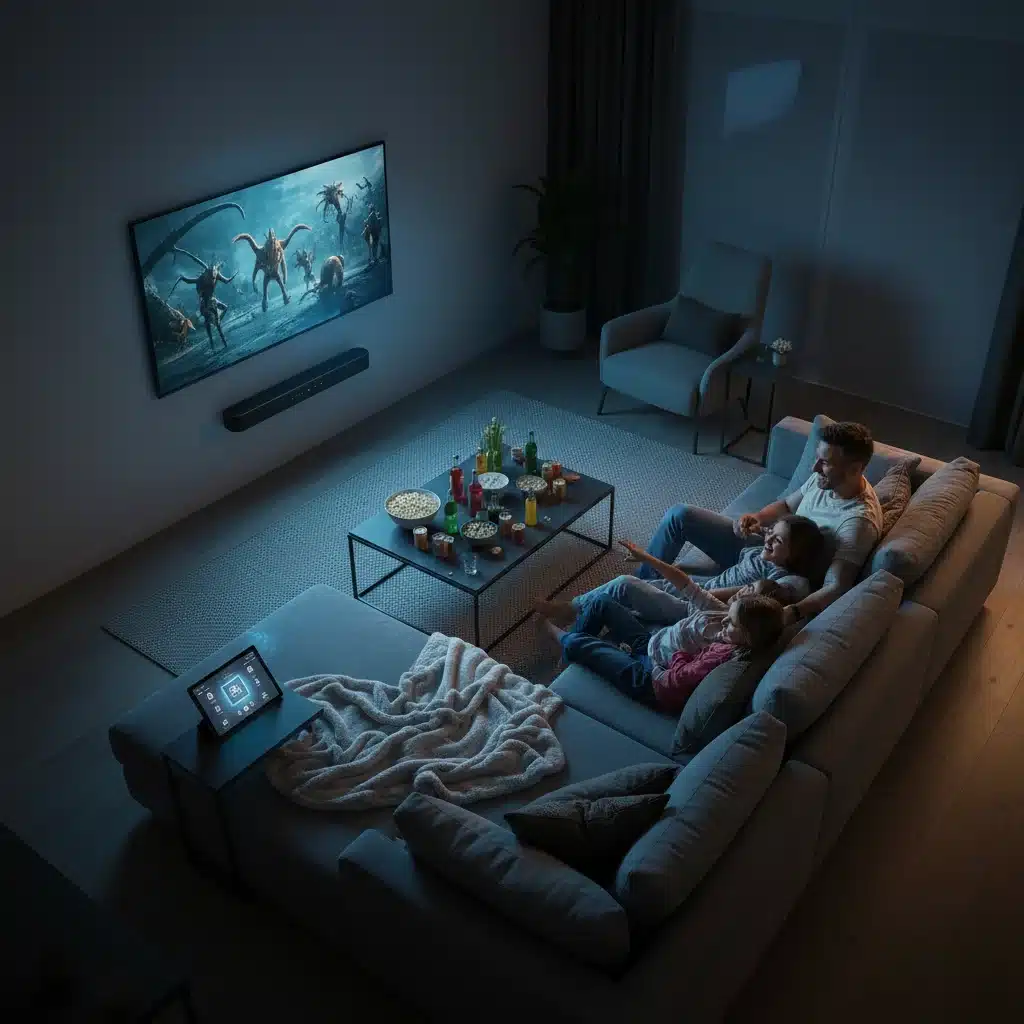
The ‘Movie Night’ Scene: Instant Entertainment Ambiance
Transform your living room into a cinematic experience with a single command.
- Trigger: Voice command “Movie night,” or a button on a smart remote.
- Actions:
- Living room lights dim to a low, warm setting.
- Smart blinds or curtains close.
- Smart TV turns on and switches to your preferred streaming input.
- Soundbar or home theater system activates and adjusts volume.
- Optional: Smart popcorn maker (via smart plug) starts.
- Insider Tip: If you have smart LED strips, set them to a complementary color (e.g., deep blue or red) for added immersion.
The ‘Good Night’ Scene: Restful Sleep and Security
Ensure a peaceful night’s sleep and complete home security with this essential scene.
- Trigger: Voice command “Good night,” a bedside button, or a scheduled time.
- Actions:
- All lights throughout the house turn off, except for perhaps a dim pathway light to the bathroom.
- All smart locks engage.
- Security system arms (perimeter only or full arm, depending on preference).
- Thermostat adjusts to a comfortable sleeping temperature.
- Smart blinds close fully.
- Smart speaker plays white noise or calming sleep sounds.
- Insider Tip: Add a condition: if any door/window is open, send a notification to your phone before arming the security system fully.
Advanced Strategies for Optimizing Your Smart Home Scenes
Once you’ve mastered the basics, consider these advanced strategies to truly supercharge your smart home scenes and achieve that 20% efficiency boost:
1. Leverage Sensor Data Intelligently
Sensors are the eyes and ears of your smart home. Integrate them beyond simple triggers:
- Occupancy Sensors: Instead of just turning lights on when motion is detected, use occupancy sensors to keep lights on only when someone is present, and turn them off after a period of no detection.
- Light Sensors: Adjust indoor lighting based on natural light levels. Your ‘Reading’ scene might only brighten the lamp if the room is too dim from outside.
- Temperature/Humidity Sensors: Create scenes that adjust climate based on specific comfort thresholds, not just schedules.
- Water Leak Sensors: While not directly scene-triggering, integrate them to send alerts and potentially shut off a smart water valve in an emergency.
2. Implement Conditional Logic
Many advanced smart home platforms (like Home Assistant, SmartThings, or IFTTT) allow for ‘if-then-else’ logic. This makes your scenes much smarter:
- “IF it’s past 9 PM AND motion is detected in the kitchen, THEN turn on kitchen lights to 20% brightness for 5 minutes (for a late-night snack).”
- “IF the outdoor temperature is above 80°F AND I’m 10 minutes from home, THEN turn on the AC to 74°F.”
- “IF the garage door is open for more than 10 minutes AND it’s after sunset, THEN flash outdoor lights.”
3. Embrace Voice Control and Smart Assistants
Voice commands are arguably the most intuitive way to interact with your smart home scenes. Ensure your scene names are natural and easy to remember (e.g., “Hey Google, it’s dinner time,” not “Activate Scene 4B”). Experiment with custom phrases if your assistant allows it.
4. Optimize for Energy Efficiency
Beyond basic ‘off’ commands, think about nuanced energy savings:
- Seasonal Adjustments: Create distinct ‘Summer Away’ and ‘Winter Away’ scenes for thermostat optimization.
- Peak Hours Awareness: If your utility offers time-of-use rates, schedule energy-intensive scenes (like charging an EV or running the dishwasher) during off-peak hours.
- Phantom Load Elimination: Use smart plugs in ‘Leaving Home’ or ‘Good Night’ scenes to cut power to devices that draw standby power.
5. Regular Review and Refinement
Your lifestyle isn’t static, and neither should your smart home scenes be. Periodically review your automations:
- Are they still meeting your needs?
- Are there new devices you can integrate?
- Are there any scenes that are annoying or not firing correctly?
- Can you combine multiple simple scenes into one more powerful one?
This iterative process ensures your smart home continually evolves with you, maximizing its efficiency and comfort contributions.
Common Pitfalls to Avoid When Customizing Smart Home Scenes
While the potential of smart home scenes is vast, there are common mistakes that can lead to frustration. Being aware of these can save you headaches:
- Over-Complication: Don’t try to make one scene do absolutely everything. Sometimes, simpler, more focused scenes are more reliable and easier to troubleshoot.
- Ignoring Dependencies: Ensure all devices in a scene are online and working correctly. A scene that fails because one device is offline can be frustrating.
- Poor Naming Conventions: Use clear, intuitive names for your scenes. “Scene 1” is less helpful than “Morning Coffee.”
- Lack of Testing: Always test new scenes thoroughly, especially those involving critical functions like security or door locks.
- Forgetting About Manual Overrides: Ensure there’s always an easy way to manually control devices even if a scene is active or fails.
- Privacy Concerns: Be mindful of data sharing and privacy settings, especially when integrating location services or cameras into scenes.
The Future of Smart Home Scenes: AI and Predictive Automation
The evolution of smart home scenes is rapidly progressing. We’re moving towards a future where AI and machine learning play an even more significant role. Imagine scenes that:
- Learn Your Habits: Your home observes your routines and suggests new scenes or optimizes existing ones without explicit programming.
- Anticipate Needs: Based on calendar events, weather forecasts, traffic conditions, and even your mood (via wearables), your home proactively adjusts.
- Self-Heal: If a device goes offline, the system might automatically try alternative paths or notify you with a proposed solution.
While some of these capabilities are already emerging in sophisticated platforms, the widespread adoption of truly predictive and self-optimizing smart home scenes is just around the corner. Staying informed about these advancements will allow U.S. homeowners to continually refine their home’s intelligence.
Conclusion: Your Home, Smarter and More Efficient Than Ever
Customizing smart home scenes is not just about adopting new technology; it’s about reclaiming your time, enhancing your comfort, and making your home work harder and smarter for you. By strategically implementing the strategies outlined in this guide, U.S. homeowners can realistically achieve a 20% or greater boost in daily efficiency, leading to a more relaxed, secure, and energy-conscious lifestyle. Start small, experiment, and gradually expand your scene repertoire. Your smart home is a powerful tool, and with a little insider knowledge and creativity, you can unlock its full potential to transform your daily routines. Embrace the power of automation, and watch as your home becomes an intuitive partner in your life, perfectly orchestrated to your every need and desire.