
Smart Home Data Privacy: 5 Steps to Secure Your Personal Information in 2026 (Practical Solution)
Welcome to the era where your home is not just a living space but a smart, interconnected ecosystem. From smart thermostats adjusting to your comfort to security cameras monitoring your property, smart home devices have revolutionized convenience and efficiency. However, with great convenience comes significant responsibility, especially concerning smart home privacy. As we move further into 2026, understanding and managing your data privacy settings is more critical than ever. Every smart device collects data, from your daily routines to your voice commands, and safeguarding this information is paramount to protecting your personal life from potential misuse.
The rapid advancement of IoT (Internet of Things) technology means more devices are coming online, each a potential gateway for data collection. Without proper precautions, this data could be vulnerable to breaches, unauthorized access, or even used for targeted advertising in ways you might not approve of. This comprehensive guide will walk you through five essential steps to bolster your smart home privacy, ensuring your personal information remains secure in this increasingly connected world. We’ll delve into practical solutions, best practices, and actionable advice that you can implement today to secure your digital footprint within your smart abode.
Understanding the Landscape of Smart Home Data Collection
Before we dive into the solutions, it’s crucial to grasp what kind of data your smart home devices are collecting and why. Most smart devices gather data to function effectively, personalize your experience, and improve their services. For example, a smart thermostat learns your temperature preferences, a smart speaker records voice commands to process requests, and a smart security camera captures video footage for surveillance. This data can include:
- Personal Identifiable Information (PII): Names, addresses, email, payment information.
- Behavioral Data: Usage patterns, routines, interactions with devices.
- Environmental Data: Temperature, light levels, air quality.
- Biometric Data: Fingerprints or facial recognition (for some security devices).
- Location Data: GPS coordinates from mobile apps connected to devices.
- Voice Recordings: Commands given to smart speakers or assistants.
- Video Footage: Captured by security cameras or video doorbells.
The sheer volume and variety of this data make smart home privacy a complex issue. Companies often use this data for product improvement, analytics, and sometimes, with your consent, for marketing. The concern arises when this data is not adequately protected, shared without explicit permission, or falls into the wrong hands. Therefore, proactive management of your privacy settings is not just a recommendation; it’s a necessity in 2026.
Step 1: Audit Your Smart Home Devices and Understand Their Data Policies
The first and most fundamental step to securing your smart home privacy is to know exactly what you own and what each device does. Many households accumulate smart devices over time without fully understanding their individual data collection practices. This audit should be thorough and ongoing.
Create an Inventory of All Smart Devices
Start by listing every smart device in your home. This includes obvious ones like smart speakers (Amazon Echo, Google Home), smart TVs, and security cameras, but also less obvious ones like smart light bulbs, smart plugs, robot vacuums, and even smart kitchen appliances. For each device, note down:
- Manufacturer and model
- Date of purchase
- Associated apps or platforms
- Purpose of the device
Review Each Device’s Privacy Policy and Terms of Service
This might seem tedious, but it’s an indispensable step. Most users click ‘agree’ without reading these documents. However, they contain crucial information about what data is collected, how it’s used, stored, and shared. Pay close attention to sections on:
- Data Collection: What specific types of data does the device gather?
- Data Usage: How does the company utilize this data? Is it for service improvement, personalization, or marketing?
- Data Sharing: Is your data shared with third parties? If so, which ones and for what purposes?
- Data Retention: How long is your data stored?
- Your Rights: What control do you have over your data (e.g., access, deletion)?
Look for straightforward language. If a policy is vague or overly complex, it might be a red flag. Prioritize devices that handle sensitive information, such as security cameras, smart locks, and health monitors. Understanding these policies is the bedrock of strong smart home privacy.
Step 2: Configure Privacy Settings on Each Device and Associated Apps
Once you know what data is being collected, the next step is to actively manage the privacy settings. Most smart devices and their companion apps offer a range of options to control data collection and sharing. This step is critical for maintaining your smart home privacy.
Access and Customize In-App Privacy Settings
For each smart device, open its dedicated mobile application. Navigate to the ‘Settings’ or ‘Privacy’ section. Here, you will typically find options to:
- Disable Data Sharing: Opt out of sharing anonymized data or usage statistics with third parties.
- Limit Voice Recording Retention: Many smart speakers allow you to delete voice recordings periodically or prevent them from being stored indefinitely.
- Control Location Tracking: Restrict location services for apps that don’t absolutely need it to function.
- Manage Microphone and Camera Access: Grant access only when necessary and revoke it when not in use.
- Review Activity Logs: Check what data has been collected and delete it if possible.
Be proactive in exploring these settings. Don’t assume the default settings are privacy-friendly; they often prioritize convenience or data collection for the manufacturer.
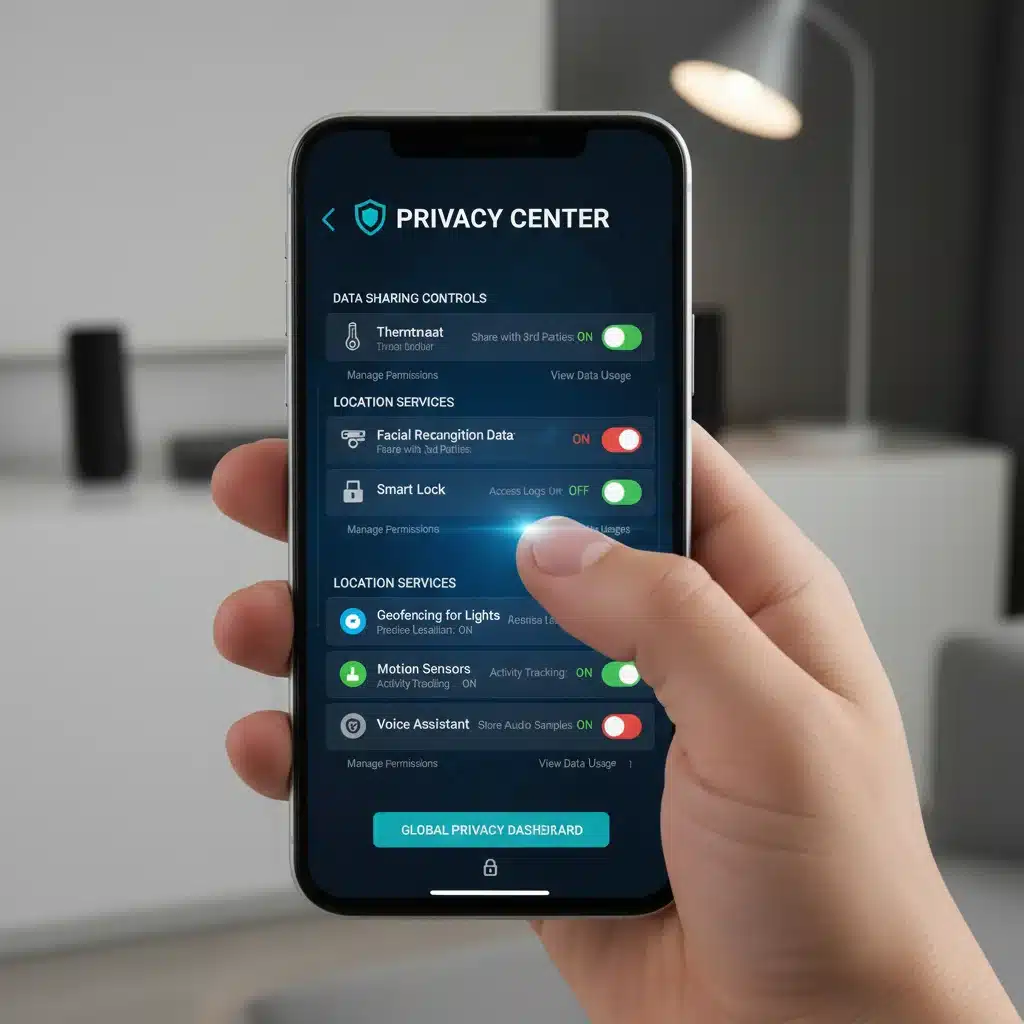
Utilize Manufacturer Privacy Dashboards
Many major smart home ecosystems (e.g., Google Home, Amazon Alexa, Apple HomeKit) offer centralized privacy dashboards on their websites. These platforms allow you to view and manage data collected across all devices connected to their ecosystem. Regularly visit these dashboards to:
- Review and delete past activity: Including voice recordings, search history, and location data.
- Adjust global privacy preferences: These settings can override individual device settings in some cases.
- Understand data handling practices: Get a broader view of how the ecosystem manages your data.
By taking control of these settings, you significantly enhance your smart home privacy posture.
Step 3: Secure Your Home Network and Wi-Fi
Your smart devices are only as secure as the network they operate on. A weak home network is an open invitation for cyber threats, compromising your entire smart home privacy. Strengthening your Wi-Fi security is a non-negotiable step.
Use a Strong, Unique Wi-Fi Password
This is basic cybersecurity 101, but it’s often overlooked. Your Wi-Fi password should be long, complex, and include a mix of uppercase and lowercase letters, numbers, and symbols. Avoid easily guessable passwords like your birthday or ‘123456’. Change it regularly, at least once every six months.
Enable WPA3 Encryption
If your router supports it, enable WPA3 (Wi-Fi Protected Access 3) encryption. WPA3 is the latest and most secure encryption standard for Wi-Fi networks, offering stronger protection against brute-force attacks and better individual data encryption. If WPA3 isn’t available, ensure you are using WPA2-AES, which is still robust.
Change Default Router Credentials
Many routers come with default usernames and passwords (e.g., ‘admin/admin’). These are widely known and a major security vulnerability. Change them immediately to strong, unique credentials. This prevents unauthorized access to your router’s settings, which could be used to compromise your network.
Create a Guest Network for Smart Devices (VLAN)
Consider setting up a separate guest network or a Virtual Local Area Network (VLAN) specifically for your smart devices. This isolates them from your main network where your computers, phones, and other sensitive data reside. If a smart device is compromised, the attacker will have limited access to your broader network, significantly enhancing your smart home privacy and security.
Keep Router Firmware Updated
Router manufacturers regularly release firmware updates to patch security vulnerabilities and improve performance. Make sure your router’s firmware is always up to date. Many modern routers offer automatic updates, which you should enable.
Step 4: Implement Strong Authentication and Regular Software Updates
Even with meticulous privacy settings and a secure network, vulnerabilities can arise from outdated software or weak access controls. This step focuses on maintaining the integrity of your devices and their access points to protect your smart home privacy.
Enable Two-Factor Authentication (2FA)
For every smart device or app that supports it, enable Two-Factor Authentication (2FA). This adds an extra layer of security by requiring a second form of verification (e.g., a code sent to your phone) in addition to your password. Even if a hacker obtains your password, they won’t be able to access your account without the second factor. This is crucial for accounts linked to security cameras, smart locks, and financial services.
Use Strong, Unique Passwords for All Accounts
Just as with your Wi-Fi, every smart device account should have a strong, unique password. Do not reuse passwords across different services. If one service is breached, all other accounts using the same password become vulnerable. Use a reputable password manager to generate and store complex passwords securely.
Regularly Update Device Firmware and Software
Manufacturers frequently release firmware and software updates for smart devices to fix bugs, improve features, and, most importantly, patch security vulnerabilities. Enable automatic updates whenever possible. If not, make it a habit to manually check for and install updates for all your smart devices and their associated applications. Outdated software is a common entry point for cyberattacks, directly impacting your smart home privacy.

Be Wary of Third-Party Integrations
Many smart devices offer integrations with other services or platforms. While convenient, each integration is a potential data sharing point. Carefully review the permissions requested by third-party integrations before enabling them. Only allow access to the data that is absolutely necessary for the integration to function.
Step 5: Practice Data Minimization and Be Mindful of Device Placement
The final step involves adopting a mindset of data minimization and being strategic about where and how you use your smart devices. This proactive approach significantly reduces your exposure and strengthens your smart home privacy.
Only Share Necessary Data
When setting up devices or using their features, be selective about the information you provide. If a device asks for access to your contacts or calendar but doesn’t genuinely need it for its core function, deny that access. Question why certain data is being requested and only provide what is strictly essential. For example, a smart light bulb typically doesn’t need access to your microphone.
Consider the Placement of Sensitive Devices
Think carefully about where you place devices that collect highly sensitive data. For instance:
- Smart Speakers: Avoid placing them in bedrooms or bathrooms where private conversations are likely to occur. Consider muting their microphones when not in use.
- Security Cameras: Point cameras only at areas you intend to monitor, avoiding views into private spaces of your home or your neighbors’ properties.
- Smart Doorbells: Be aware of the field of view and what it captures, especially concerning public spaces.
The physical placement of these devices has a direct impact on the scope of data they collect and, consequently, your smart home privacy.
Regularly Review and Delete Stored Data
Make it a habit to periodically review the data stored by your smart home ecosystem. Most platforms allow you to view activity logs, voice recordings, and video clips. Delete any data you don’t want to be retained. This not only protects your privacy but also helps keep your data footprint smaller.
Unplug or Disable Devices When Not in Use
If you have smart devices that you use infrequently or seasonally, consider unplugging them or disabling their internet connection when they are not needed. An offline device cannot collect or transmit data, offering the ultimate form of smart home privacy for that specific device.
The Future of Smart Home Privacy in 2026 and Beyond
As smart home technology continues to evolve, so too will the challenges and solutions related to data privacy. In 2026, we can expect to see increased regulatory scrutiny, more sophisticated privacy features from manufacturers, and a greater emphasis on user education. However, the responsibility ultimately rests with the individual consumer to stay informed and proactive.
New technologies like AI and machine learning are making smart devices even more capable, but also more data-hungry. Understanding how these technologies process your data will be crucial. Furthermore, the rise of Matter and other interoperability standards aims to simplify the smart home experience, but it also means more devices seamlessly sharing data. Being aware of these trends will help you anticipate future privacy considerations.
Staying Informed is Key
The landscape of smart home privacy is constantly changing. Regularly check official blogs from your device manufacturers for privacy updates, subscribe to cybersecurity newsletters, and follow reputable tech news sources. Knowledge is your best defense against evolving threats.
Advocate for Stronger Privacy Standards
As consumers, our collective voice can influence manufacturers and policymakers. Support companies that prioritize privacy by design and advocate for stronger data protection regulations. Your choices as a consumer send a clear message about the importance of smart home privacy.
Conclusion: Empowering Your Smart Home with Privacy by Design
The convenience and innovation offered by smart home technology are undeniable. However, this convenience should never come at the expense of your personal privacy. By diligently following these five steps – auditing your devices, configuring privacy settings, securing your network, implementing strong authentication, and practicing data minimization – you can significantly enhance your smart home privacy in 2026 and beyond.
Remember, securing your smart home is not a one-time task but an ongoing process. Regular reviews, updates, and a mindful approach to data sharing will empower you to enjoy the benefits of a connected home without compromising your personal information. Take control of your digital footprint, protect your sanctuary, and ensure your smart home truly serves you, securely and privately.