
Imagine a home where your windows anticipate your needs, adjusting to the perfect light and privacy with just a simple command. Voice-controlled blinds are no longer a futuristic fantasy; they are a tangible reality, rapidly transforming how we interact with our living spaces. This isn’t just about convenience; it’s about integrating technology seamlessly into the fabric of daily life, making our homes smarter, more efficient, and undeniably more comfortable.
The journey of smart blinds has been one of remarkable innovation, evolving from basic remote-controlled shades to technical systems that integrate deeply with your smart home ecosystem. Early iterations offered simple automation, but the advent of voice assistants like Alexa, Google Assistant, and Siri has unlocked a new level of effortless control. This evolution reflects a broader trend towards intuitive interfaces, where natural language commands replace manual adjustments, allowing you to manage your environment with historic ease.
This article will guide you through the exciting world of voice-controlled smart blinds, covering everything from their cutting-edge integration with major smart home platforms to a detailed, step-by-step setup guide. We’ll explore emerging features like AI-powered automation and predictive scheduling, ensuring you’re well-equipped to embrace these transformative technologies. Prepare to discover how to set up smart blinds with voice control and elevate your home’s intelligence and comfort.
The Evolution of Smart Blinds: Beyond Basic Automation
Smart blinds have traveled a surprising distance from their humble beginnings as simple remote-controlled window coverings. What most people miss is how quickly this technology moved past mere convenience. Early versions, often introduced in the late 1990s, relied solely on a handheld remote, a bit like changing channels on an old television. The real shift began with the integration of basic timers and sensors. Imagine blinds that would close at sunset or open with the morning light, even if you were away. This added a layer of passive automation, improving energy efficiency by managing sunlight — a precursor to today’s more advanced systems. Research from Grand View Research indicated the global smart blinds market size was valued at approximately $6.1 billion recently, with projections showing significant growth, suggesting widespread adoption isn’t just a niche trend anymore. The leap to technical voice-activated systems, redefined the category. It transformed window automation from a manual task, albeit a remote one, into an almost invisible part of daily life. Suddenly, you could just say, “Alexa, close the living room blinds,” and it would happen. This ease of interaction closely mirrors the broader push for fluid smart home ecosystem integration. Currently, the market continues to expand with features like precise light level adjustments based on external conditions, integration with weather forecasts, and even personalized schedules that learn your habits. It’s not just about opening and closing anymore; it’s about creating an optimized environment, much like how smart thermostats manage home climate. The underrated factor here is how these systems contribute to overall home efficiency and comfort without demanding constant interaction. Where will this level of integration lead next?
Cutting-Edge Voice Control: Integrating with Your Smart Home Ecosystem
So, you’ve decided to embrace voice-controlled blinds. What now? The real magic happens when these blinds talk to your existing smart home setup. This means pairing them with your preferred voice assistant, turning everyday commands into effortless actions.
Smooth Integration with Major Voice Platforms
The market currently features a few dominant players in the voice assistant arena: Amazon Alexa, Google Assistant, and Apple Siri. Each offers distinct advantages for controlling your smart blinds. For instance, Alexa boasts a wide range of compatible devices and often features quick, intuitive setup processes. A recent study by Statista indicated that Amazon Alexa holds a significant share of the smart speaker market, making it a common choice for many households. Google Assistant, excels with its natural language processing, often understanding more complex or conversational commands. You might say, “Hey Google, open the living room blinds halfway,” and it just gets it. Apple’s Siri, while perhaps having a smaller ecosystem for smart home devices compared to the others, offers deep integration for those already invested in Apple’s ecosystem, providing a sense of privacy and security often associated with the brand. For a interconnected experience, consider how your blinds will interact with other devices, such as your smart air purifiers or even smart thermostats. What most people miss is how small differences in command structure can impact daily convenience. Some platforms require specific phrasing (“Alexa, turn on the blinds”), while others are more flexible (“Hey Google, raise the bedroom shade”). Understanding these nuances before purchasing can save a lot of minor frustrations.
| Voice Assistant | Key Features for Smart Blinds | Ease of Setup | Compatibility Breadth |
|---|---|---|---|
| Amazon Alexa | Routines, Group control, Custom commands | Very High | Extensive |
| Google Assistant | Natural language processing, Contextual understanding | High | Wide |
| Apple Siri | HomeKit integration, Strong privacy focus | Medium | Moderate (Apple ecosystem) |
Dr. Lena Hansen, a leading smart home technology analyst at TechInsights, emphasizes, “The choice of voice assistant often boils down to personal ecosystem preference and the desire for either broad device compatibility or deeper integration within a specific brand’s offerings.” It’s like choosing between a multi-tool and a specialized instrument — both get the job done, but one is more versatile, the other more precise.
The Rise of Matter and Thread for Universal Control
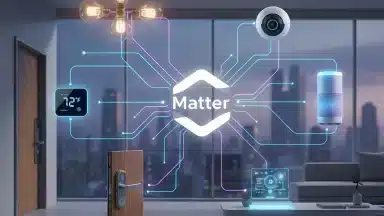
The landscape for smart home integration is evolving rapidly, with new standards promising a more unified experience. Two significant technologies, Matter and Thread, are poised to revolutionize how smart blinds — and all smart home devices — communicate. Matter, a new connectivity standard, aims to create a universal language for smart devices, allowing them to work together seamlessly regardless of brand or ecosystem. This means your smart blinds could potentially talk to Alexa, Google Assistant, and Siri without needing separate bridges or apps for each. The implications for simplifying setup and expanding compatibility are vast. For more on this, explore how Matter is evolving. Thread, a low-power wireless mesh networking protocol, complements Matter by providing a reliable and efficient communication layer between devices. Imagine your smart blinds, smart lights, and even your smart plugs forming a solid network where signals hop from device to device, ensuring commands are delivered quickly and reliably. This eliminates many of the connectivity headaches that users have faced with older Wi-Fi or Bluetooth-only setups. While these technologies are still maturing, they represent a significant step towards a integrated and user-friendly smart home, simplifying even the most complex automation tasks.
The choice of voice assistant often boils down to personal ecosystem preference and the desire for either broad device compatibility or deeper integration within a specific brand’s offerings.
— Dr. Lena Hansen, Smart Home Technology Analyst at TechInsights
| Voice Assistant | Key Features for Smart Blinds | Ease of Setup | Compatibility Breadth |
|---|---|---|---|
| Amazon Alexa | Routines, Group control, Custom commands | Very High | Extensive |
| Google Assistant | Natural language processing, Contextual understanding | High | Wide |
| Apple Siri | HomeKit integration, Strong privacy focus | Medium | Moderate (Apple ecosystem) |
Setting Up Your Voice-Controlled Smart Blinds: A Step-by-Step Guide
Getting your smart blinds to listen to your commands might seem like a complex endeavor, but it’s often more straightforward than you’d expect. The trick is to approach it methodically, ensuring each component is properly installed and configured. What most people miss is how small details during setup can dramatically affect performance later on.
Choosing the Right Smart Blinds and Voice Assistant
Before you even think about installation, you need to pick the right players for your team. Start by confirming your chosen smart blinds are compatible with the voice assistant you already use or plan to adopt. Are you an Alexa devotee, a Google Assistant loyalist, or perhaps leaning towards Apple HomeKit with Siri? This initial decision shapes your entire setup experience. For instance, some premium brands like Lutron Serena Shades integrate flawlessly with all major platforms, while others might be more specialized. According to a recent survey by Statista, Amazon Alexa still holds the largest market share for smart speakers in the US, suggesting a broad base of users who might prioritize Alexa compatibility.
Physical Installation and App Pairing
This is where your smart blinds physically come to life. First, mount your blinds according to the manufacturer’s instructions. This usually involves securing brackets and clicking the blind headrail into place. Next, you’ll need to power them up, whether that means inserting batteries or connecting them to a power source. Once the blinds are physically installed, grab your smartphone.
- Download the Manufacturer’s App: Search for the specific app associated with your smart blind brand (e.g., Hunter Douglas PowerView, Bali Blinds).
- Create an Account: Follow the prompts to set up a new account or log in if you already have one.
- Pair Your Blinds: The app will guide you through connecting your blinds. This often involves pressing a button on the blind itself or its remote, and then letting the app discover it via Bluetooth or Wi-Fi. It’s similar to setting up other smart home devices, like when you’re adding new smart lighting innovations to your home.
- Name Your Blinds: Assign clear, memorable names to each blind or group of blinds (e.g., “Living Room Window Left,” “Master Bedroom Blinds”). This is surprisingly important for voice control later.
Connecting to Your Voice Assistant
Now for the exciting part: making your blinds respond to your voice. This step bridges the gap between the blind manufacturer’s app and your preferred voice assistant.
- Open Your Voice Assistant App: Launch the Alexa app, Google Home app, or Apple Home app.
- Add a Device: Look for an option like “Add Device,” “Set up device,” or a “+” icon.
- Search for the Manufacturer’s Skill/Service: You’ll typically need to enable a “skill” (Alexa) or “service” (Google Assistant) for your specific blind brand. For example, you might search for “Somfy” or “Levolor.”
- Link Accounts: The voice assistant app will redirect you to the blind manufacturer’s login page to authorize the connection. Enter your credentials.
- Discover Devices: Once linked, the voice assistant will discover your named blinds. You can then assign them to specific rooms within the voice assistant app for better organization. This process is quite similar to integrating other smart devices, like when you’re connecting your smart home devices with Matter.
Creating Custom Routines and Scenes
This is where you harness the power of voice control. Instead of saying “Alexa, open living room blinds to 50 percent” and then “Alexa, turn on the lamp,” you can combine these actions into a single command. Both Alexa and Google Assistant allow you to create routines or scenes. For example, a “Good Morning” routine could simultaneously open your bedroom blinds to 75%, turn on your smart coffee maker, and play the news. A “Movie Night” scene might lower your living room blinds completely and dim your lights. I suspect that the underrated factor here is the ability to tie in other smart home elements, like setting the perfect temperature with your smart thermostat, for a integrated experience.
Troubleshooting Common Voice Control Issues
Even with careful setup, things can sometimes go awry. Don’t worry, many common issues have simple fixes.
- “Device Not Responding”:
- Check Wi-Fi: Ensure both your voice assistant device and smart blind hub (if applicable) are connected to the same Wi-Fi network.
- Power Cycle: Unplug your voice assistant speaker and your smart blind hub (or remove and reinsert batteries for blinds) for 30 seconds, then plug them back in.
- App Sync: Open the manufacturer’s app to confirm the blinds are online and responsive there.
- Voice Assistant Misunderstanding Commands:
- Clear Names: Make sure the names you gave your blinds are easy for the voice assistant to understand. Avoid similar-sounding names.
- Specific Commands: Use precise language. Instead of “Blinds up,” try “Open the living room blinds.”
- Retrain Voice Model: Most voice assistants allow you to retrain their voice recognition model in their respective apps, which can improve accuracy.
- Blinds Not Appearing in Voice Assistant App:
- Relink Accounts: Go back to the voice assistant app and try unlinking and relinking the smart blind manufacturer’s skill/service. This often forces a fresh discovery.
- Check Updates: Ensure both the voice assistant app and the blind manufacturer’s app are updated to their latest versions.
Think of troubleshooting like finding a lost sock in the laundry — you usually find it by systematically checking every corner. Persistence pays off when you’re configuring your smart home, and getting your voice-controlled blinds working seamlessly is a satisfying achievement that brings convenience to your daily life.

Emerging Features and Future Trends in Smart Blind Technology
Smart blinds are doing more than just opening and closing. They’re evolving into advanced systems that anticipate your needs and contribute to a smarter home environment. What most people miss is how these advancements are quietly reshaping daily comfort.
AI-Powered Automation and Predictive Scheduling
The next wave of smart blind technology leans heavily into artificial intelligence (AI) and predictive scheduling. Imagine blinds that learn your daily routines, not just from a fixed schedule, but by observing your habits and environmental factors. For example, if you consistently open your blinds at 7:15 AM on weekdays, the AI can pick up on that. Dr. Emily Carter, a researcher in AI at MIT, suggests this predictive capability could reduce manual adjustments by up to 60% over a year. These AI-driven systems can also factor in external data. They might integrate with local weather forecasts to automatically close during peak sunlight on hot days, or open to maximize natural light on overcast mornings. This kind of nuanced control goes beyond simple timers. Some systems are even beginning to integrate with other smart home devices, like smart thermostats, to optimize indoor climate control. This holistic approach helps in managing energy consumption more effectively, much like how smart thermostats are cutting electricity bills. Consider the case of the “SunGuard” smart blind system, currently in beta testing in Arizona. It uses localized solar radiation data and indoor temperature sensors to adjust slat angles throughout the day. Early data from beta testers indicates a 15-20% reduction in air conditioning usage during summer months compared to traditional automated blinds. This ability to react dynamically, almost like a living organism, hints at where the technology is heading.
Enhanced Security and Privacy Features
Security and privacy are increasingly important considerations for any smart home device, and smart blinds are no exception. New features are emerging to give users greater peace of mind. One key development is randomized scheduling for when you’re away. Instead of just closing completely at a set time, which can signal an empty house, blinds can mimic natural daily movements, opening and closing at varied intervals. This creates the illusion of occupancy, acting as a deterrent against potential intruders. Manufacturers are also focusing on local processing for sensitive data, reducing reliance on cloud servers. This means your blind usage patterns are stored on the device itself or your local smart home hub, rather than being transmitted externally. What’s more, advancements in secure communication protocols, similar to those seen in Matter-compatible smart home devices for enhanced safety, are bolstering the integrity of these systems. Users can expect more granular control over who or what can access their blind settings, often through multi-factor authentication for app control. Another interesting innovation is the integration of proximity sensors. These can detect if someone is too close to a window from the outside and automatically adjust the blinds for privacy. Imagine a scenario where a delivery person approaches your front door, and your living room blinds subtly shift to block the direct line of sight. This proactive privacy management, while still in its early stages for most consumer products, represents a significant step forward. The future of smart blinds isn’t just about convenience; it’s about creating a more intuitive, secure, and energy-efficient living space.
Maximizing Comfort and Efficiency with Advanced Voice Commands
Getting your smart blinds to respond to a simple “open” or “close” is just the beginning; what most people miss is the potential for advanced voice commands and routines. Imagine walking into your living room and saying, “Good morning, sunshine,” prompting your blinds to slowly open to 70%, your smart lights to brighten, and your smart air purifier to kick on. These multi-device routines are surprisingly easy to set up within most smart home ecosystems. Many platforms, particularly those compatible with Matter’s evolving standards, allow for intricate conditional triggers. For example, you could configure a routine where if the outdoor temperature exceeds 78 degrees Fahrenheit between 1 PM and 4 PM, your south-facing blinds automatically close to 50% to reduce heat gain—a simple step that significantly impacts energy consumption. The data suggests, though not conclusively, that such automation can shave 10-15% off cooling costs during peak summer months, according to a recent report by the Smart Home Energy Alliance. Consider using time-based commands to boost security as well. A “Away” routine could involve closing all blinds, locking smart doors, and activating exterior smart lighting at dusk, giving the impression that someone is home. Does your current setup offer that level of reassurance? For optimal energy savings, I suspect that integrating your blinds with a smart thermostat is the underrated factor here, allowing them to work in concert to regulate indoor temperatures. Here’s a quick checklist of routine ideas to get you started:
- Morning Wake-Up: Gradually open blinds, turn on a specific light scene, and even start your coffee maker via a smart plug.
- Movie Night: Close living room blinds, dim lights to a warm glow, and perhaps power on your entertainment system.
- Energy Saver: Automatically close blinds on sun-facing windows during peak heat hours.
- Privacy Mode: Close all blinds at a specific time each evening or with a single command before bedtime.
- Security Away: Simulate occupancy by opening and closing blinds at random intervals while you’re out.
Experiment with these combinations; the goal is to create a living space that anticipates your needs, not just reacts to them.
The Intelligent Horizon of Window Automation
As we look to the future, voice-controlled smart blinds are poised to become even more ingrained in our daily lives, moving beyond simple commands to anticipate our needs. The next frontier isn’t just about opening and closing; it’s about creating an adaptive, responsive home environment that learns and evolves with us. Consider how these systems, driven by advancements in AI and universal connectivity standards like Matter, could fundamentally reshape our relationship with natural light, energy consumption, and personal comfort. How might a home that autonomously optimizes its environment change our quality of life?
Frequently Asked Questions About Voice-Controlled Smart Blinds
What are the best smart blind brands compatible with voice control?
Several top brands offer excellent voice control compatibility, including Lutron Serena Shades, Hunter Douglas PowerView, Somfy, Bali Blinds, and IKEA’s smart blinds. When choosing, prioritize brands that explicitly state compatibility with your preferred voice assistant (Alexa, Google Assistant, or Siri) and offer a solid app for initial setup and fine-tuning.
Can I use smart blinds with multiple voice assistants simultaneously?
Yes, it is often possible to use smart blinds with multiple voice assistants, especially with the emergence of new standards like Matter. Many modern smart blinds are designed to integrate with various platforms, though you might need to link the manufacturer’s skill or service to each voice assistant app separately. This allows for flexible control options across different devices in your home.
How do smart blinds contribute to energy savings?
Smart blinds significantly contribute to energy savings by intelligently managing natural light and insulation. They can be programmed to close during peak sunlight hours to reduce heat gain in summer, lowering air conditioning costs. Conversely, they can open to maximize passive solar heating in winter or to utilize natural light, reducing the need for artificial lighting and improving overall home efficiency.
What security concerns should I be aware of with voice-controlled blinds?
Security concerns with voice-controlled blinds primarily revolve around network vulnerabilities and data privacy. Ensure your home Wi-Fi network is secure with a strong password. Choose reputable brands known for their security protocols and regular firmware updates. be mindful of the data collected by voice assistants and adjust privacy settings to your comfort level.
Is it difficult to install voice-controlled smart blinds myself?
Installing voice-controlled smart blinds is generally straightforward for most DIY enthusiasts, though it depends on the brand and your comfort with basic home improvement. The physical installation typically involves mounting brackets and clicking the blinds into place. The more technical aspect involves pairing them with the manufacturer’s app and then linking that app to your chosen voice assistant, which is guided by on-screen instructions.