

Smart Home Device Maintenance: Your Quarterly Checklist for 2026 Performance
In the rapidly evolving world of smart home technology, our lives are increasingly intertwined with an array of interconnected devices designed to make daily tasks simpler, safer, and more efficient. From intelligent thermostats that learn our preferences to security cameras offering peace of mind, and smart lighting systems that adapt to our moods, these innovations have transformed our living spaces. However, just like any other sophisticated technology, smart home devices aren’t set-it-and-forget-it solutions. To truly maximize their potential, ensure their longevity, and maintain optimal performance, a proactive approach to smart home maintenance is absolutely essential. As we navigate through 2026, the complexity and integration of these systems only deepen, making regular care more critical than ever.
Neglecting your smart home devices can lead to a host of problems: sluggish performance, connectivity issues, security vulnerabilities, reduced battery life, and ultimately, premature failure. Imagine your smart lock failing to respond when you’re rushing out the door, or your smart thermostat malfunctioning on the coldest day of the year. These aren’t just minor inconveniences; they can significantly disrupt your daily routine and compromise the very benefits you sought from smart home automation. This comprehensive guide will equip you with a quarterly smart home maintenance checklist, specifically tailored for 2026, designed to keep your connected ecosystem running flawlessly. By dedicating a small amount of time each quarter, you can prevent major headaches, extend the lifespan of your valuable devices, and ensure your smart home remains a bastion of convenience and efficiency.
Why Quarterly Smart Home Maintenance is Non-Negotiable in 2026
The landscape of smart home technology is constantly shifting. New devices emerge, software updates are released, and environmental factors take their toll. A quarterly maintenance schedule isn’t arbitrary; it’s a strategic interval that allows you to address potential issues before they escalate, ensuring your smart home remains resilient and responsive. Here’s why this regular upkeep is more important than ever:
- Optimized Performance: Regular cleaning, software updates, and connectivity checks ensure your devices operate at their peak, responding quickly and accurately to commands.
- Extended Lifespan: Dust, dirt, and outdated software can degrade components over time. Proactive maintenance mitigates wear and tear, significantly extending the operational life of your expensive devices.
- Enhanced Security: With increasing cyber threats, keeping firmware updated is crucial for patching vulnerabilities and protecting your home network from unauthorized access.
- Energy Efficiency: Calibrated sensors and updated energy management software in devices like smart thermostats can help maintain optimal energy consumption, saving you money.
- Reliability and Stability: Regular checks prevent unexpected failures, ensuring your smart home functions dependably when you need it most.
- Future-Proofing: Staying on top of updates often means your devices gain new features and improved compatibility with emerging technologies, keeping your smart home ecosystem current.
Now, let’s dive into the six essential tasks you should perform quarterly to ensure your smart home maintenance routine is robust and effective.
Task 1: Physical Cleaning and Inspection of All Devices
It’s easy to overlook the physical state of devices that often blend into our home decor, but dust, grime, and environmental factors can severely impede their functionality. This quarterly task is foundational to effective smart home maintenance.
Why it Matters:
- Sensors: Dust on motion sensors, light sensors, or temperature sensors can lead to inaccurate readings and erratic behavior.
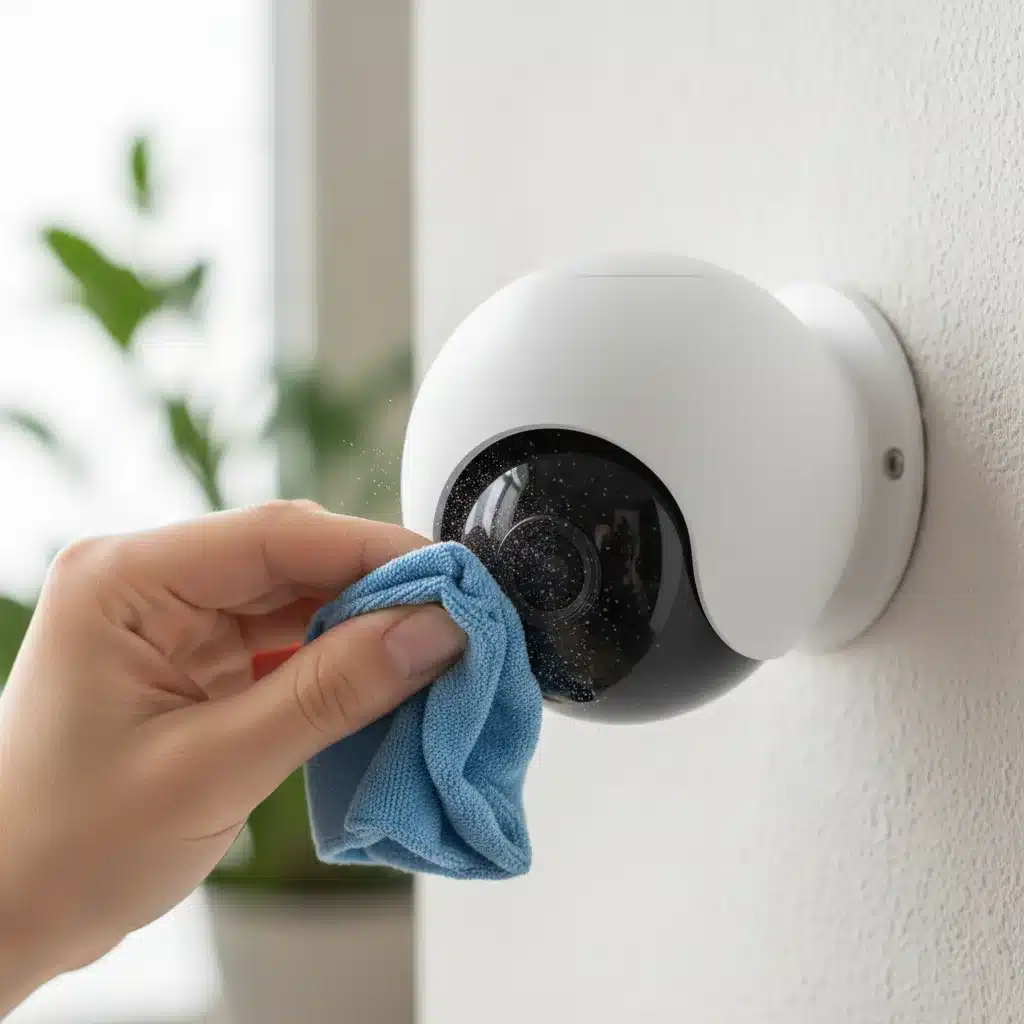
- Cameras: A smudged or dusty lens on a smart security camera can drastically reduce image quality, compromising its primary function.
- Speakers/Microphones: Accumulations of dust can muffle sound output and impair microphone sensitivity, affecting voice command recognition and audio quality.
- Ventilation: Many smart devices, especially hubs and routers, have vents to prevent overheating. Blocked vents can lead to performance degradation and hardware damage.
- Connectivity Ports: Dust can accumulate in USB or Ethernet ports, potentially causing connection issues.
How to Perform:
- Gather Your Tools: You’ll need microfiber cloths, cotton swabs, compressed air, and a gentle, electronics-safe cleaning solution (if necessary, check manufacturer guidelines).
- Power Down: Always unplug or power down devices before cleaning, especially those with exposed electrical components.
- Wipe Surfaces: Use a dry microfiber cloth to gently wipe down all external surfaces of your smart devices. For stubborn grime, a slightly damp cloth with a mild solution can be used, ensuring no liquid enters openings.
- Clean Lenses and Sensors: For smart cameras, security sensors, or anything with an optical lens, use a dedicated lens cleaning cloth or a very soft microfiber cloth. Avoid harsh chemicals.
- Clear Vents and Ports: Use compressed air to carefully clear dust from ventilation grilles, speaker grilles, microphone openings, and any exposed ports. Hold the can upright and use short bursts to avoid moisture build-up.
- Inspect Cables and Connections: While cleaning, visually inspect all power cords, Ethernet cables, and other connections for fraying, damage, or loose fits. Replace any damaged cables immediately.
- Check for Physical Damage: Look for cracks, dents, or signs of wear and tear that might indicate a device needs repair or replacement.
This physical cleanup is the first vital step in your quarterly smart home maintenance routine, laying the groundwork for digital optimizations.
Task 2: Software Updates and Firmware Checks
In the digital realm, outdated software is a recipe for disaster. Regular updates are critical for security, functionality, and compatibility within your smart home ecosystem. This is a cornerstone of modern smart home maintenance.
Why it Matters:
- Security Patches: Manufacturers constantly release updates to fix newly discovered vulnerabilities that could be exploited by cybercriminals. Keeping your devices updated is your first line of defense.
- Bug Fixes: Updates resolve glitches, crashes, and performance issues that might be affecting your devices’ reliability.
- New Features: Many updates introduce new functionalities, integrations, or improvements that enhance your smart home experience.
- Compatibility: As your ecosystem grows, updates ensure your older devices remain compatible with newer ones and evolving platforms.
- Optimized Performance: Software optimizations can make devices run faster, consume less power, and respond more efficiently.
How to Perform:
- Identify All Smart Devices: Make a list of every smart device you own, including hubs, routers, cameras, lights, sensors, smart speakers, and appliances.
- Check Manufacturer Apps: Most smart devices are controlled via dedicated mobile apps. Open each app and navigate to the settings or ‘about device’ section. Look for options like ‘Firmware Update,’ ‘Software Update,’ or ‘Check for Updates.’
- Check Hub/Gateway Updates: If you use a central smart home hub (e.g., SmartThings, Hubitat, HomeKit hub), ensure its software is up-to-date, as it often dictates the performance of connected devices.
- Router Firmware: Don’t forget your Wi-Fi router. Its firmware is crucial for network security and performance. Access your router’s admin panel (usually via a web browser) and check for updates.
- Automate Where Possible: Many devices offer automatic updates. While convenient, it’s still wise to manually check quarterly to ensure they’ve been applied successfully. Some critical updates might require manual initiation.
- Read Release Notes: Before updating, quickly scan the release notes to understand what’s being changed or added.
Prioritizing software updates is a critical element of proactive smart home maintenance, safeguarding your digital fortress and enhancing functionality.
Task 3: Network Health Check and Optimization
The backbone of any smart home is its network. A strong, stable, and secure Wi-Fi connection is paramount for device communication and overall performance. A quarterly network health check is an indispensable part of your smart home maintenance regimen.
Why it Matters:
- Connectivity Issues: A weak Wi-Fi signal or network congestion can cause devices to disconnect, respond slowly, or fail entirely.
- Latency: High latency means delays in commands, which can be particularly frustrating for smart lighting or security systems.
- Security Risks: An unsecured network is an open invitation for intruders. Regular checks ensure your security protocols are up to par.
- Device Performance: Many smart devices rely on consistent bandwidth for streaming video (cameras), downloading updates, or communicating with cloud services.
How to Perform:
- Router Reboot: A simple reboot of your Wi-Fi router and modem can often resolve many minor network glitches, clear caches, and improve performance. Do this at least once a quarter.
- Wi-Fi Signal Strength Check: Use a Wi-Fi analyzer app on your smartphone or computer to check signal strength in different areas of your home, especially where smart devices are located. Identify dead zones.
- Channel Optimization: Wi-Fi channels can get congested, especially in densely populated areas. Access your router’s settings and look for a Wi-Fi channel optimization feature, or manually select a less congested channel.
- Password Review: Ensure your Wi-Fi network uses a strong, unique password and WPA3 or WPA2-AES encryption. Change passwords periodically, especially if you suspect unauthorized access.
- Guest Network: If you have guests, encourage them to use a separate guest network. This isolates your smart devices from potential security risks.
- Bandwidth Monitoring: If you experience slow performance, use your router’s settings or a third-party tool to monitor which devices are consuming the most bandwidth.
- Firmware Update (Again!): As mentioned in Task 2, ensure your router’s firmware is always up-to-date.
- Consider Mesh Wi-Fi: If you consistently have dead zones, consider upgrading to a mesh Wi-Fi system to ensure whole-home coverage for all your smart devices.
A robust network is the lifeblood of your smart home, making this quarterly check a critical component of effective smart home maintenance.
Task 4: Battery Health and Replacement
Many smart devices, particularly sensors, smart locks, and remotes, are battery-powered. Neglecting battery health can lead to unexpected device failures, security breaches (e.g., smart locks dying), and general frustration. Quarterly battery checks are a crucial, yet often overlooked, aspect of smart home maintenance.
Why it Matters:
- Unexpected Failures: A dead battery means a device simply stops working, potentially compromising security or convenience.
- Reduced Functionality: Some devices may enter a low-power mode with reduced functionality before the battery completely dies.
- Data Loss: Certain devices might lose settings or data if their power source is completely depleted.
- Corrosion Risk: Old batteries can leak and cause corrosive damage to the device’s internal components, leading to irreparable harm.
How to Perform:
- Check Apps for Battery Status: Most smart home apps provide real-time battery status for connected devices. Make it a point to go through each device’s status quarterly.
- Physical Inspection: For devices without app-based battery monitoring, manually check them. This includes smart remotes, door/window sensors, motion sensors, and some smart locks.
- Proactive Replacement: Don’t wait for batteries to die completely. If a device shows a battery level below 20-25%, it’s a good time to replace it. For critical devices like smart locks, consider replacing batteries every 6-12 months regardless of reported levels, just to be safe.
- Use Quality Batteries: Always use reputable, high-quality batteries that are appropriate for the device. Cheap batteries can leak or have inconsistent performance.
- Identify Battery Types: Keep a small stock of common battery types (AA, AAA, CR2032, CR123A) that your devices use, so you’re always prepared.
- Recycle Old Batteries: Dispose of old batteries responsibly at designated recycling points.
A proactive approach to battery management ensures seamless operation and is a vital part of comprehensive smart home maintenance.
Task 5: Automation and Routine Review
Your smart home isn’t just about individual devices; it’s about how they work together through automations, scenes, and routines. Over time, your needs change, new devices are added, or existing automations might become redundant or inefficient. A quarterly review of these settings is crucial for optimized smart home maintenance.
Why it Matters:
- Efficiency: Redundant or poorly configured automations can lead to wasted energy or conflicting commands.
- User Experience: Automations that no longer serve their purpose or act unexpectedly can detract from the convenience your smart home offers.
- Security: Reviewing access permissions and security routines ensures they remain robust and aligned with your current household members.
- New Possibilities: As devices receive updates or new integrations become available, you might discover opportunities to create more powerful or convenient automations.
How to Perform:
- List All Automations: Go through your primary smart home app (e.g., Google Home, Amazon Alexa, Apple Home, SmartThings) and list every active automation, scene, and routine.
- Evaluate Each Automation: For each, ask yourself: Is this still useful? Does it work as intended? Is it efficient? Could it be improved?
- Remove Redundancies: Delete any automations that are no longer needed or are duplicated by newer, more efficient ones.
- Test Critical Routines: Manually trigger important routines, such as ‘Good Morning,’ ‘Good Night,’ or security routines, to ensure all devices respond correctly.
- Review Access Permissions: If multiple users have access to your smart home system, review their permissions. Ensure each user has appropriate access levels. Remove access for individuals who no longer need it.
- Explore New Integrations: Check if any of your devices have gained new integration capabilities that could enhance your existing automations.
- Consider Privacy Settings: Review the privacy settings for your smart speakers and cameras. Ensure data collection and retention policies align with your preferences.
This systematic review keeps your smart home intelligent, personalized, and efficient, making it a key aspect of ongoing smart home maintenance.

Task 6: Data Backup and System Reset Considerations
While not a daily or weekly task, a quarterly consideration of data backup and understanding when to perform a system reset is a critical, albeit less frequent, element of smart home maintenance. This focuses on safeguarding your configurations and knowing how to troubleshoot extreme issues.
Why it Matters:
- Configuration Loss: In rare cases of hardware failure or critical software corruption, having a backup of your smart home’s configuration can save hours of re-setup time.
- Troubleshooting: A system reset can be a last resort for persistent, unresolvable issues, but it should be approached with caution and preparation.
- Device Transfer/Sale: If you plan to sell or transfer ownership of a smart device, a factory reset is essential to protect your personal data.
- Security: Ensuring your data is backed up and knowing how to wipe devices clean contributes to overall digital security.
How to Perform:
- Check for Backup Options: Some smart home hubs and platforms offer built-in backup and restore functionalities (e.g., SmartThings, Home Assistant). Familiarize yourself with these options and perform a backup quarterly if available.
- Document Configurations: For systems without direct backup, consider documenting your complex automations, device pairings, and crucial settings. Simple screenshots or a text document can be invaluable.
- Understand Reset Procedures: For each major smart device and your hub/router, know how to perform a factory reset. This information is usually found in the device’s manual or on the manufacturer’s support website.
- When to Consider a Reset: A factory reset should only be considered after exhausting all other troubleshooting steps (reboot, software update, network check). It’s a drastic measure as it wipes all settings and data.
- Before Selling/Disposing: Always perform a factory reset on any smart device you intend to sell, give away, or dispose of. This ensures your personal data and home configurations are not accessible to others.
- Securely Erase Data: For devices with internal storage (like smart cameras with local recording), ensure any stored data is securely erased during the reset process.
Being prepared for the unexpected, including potential data loss or the need for a fresh start, is the final layer of a robust smart home maintenance strategy.
Integrating Maintenance into Your Routine
A quarterly schedule means you’ll perform these six tasks four times a year. To make it manageable, consider setting calendar reminders for specific dates (e.g., the first weekend of January, April, July, and October). You don’t have to tackle everything in one go; you could dedicate an hour each day over a single weekend to each task. The key is consistency.
As smart home technology continues its rapid advancement into 2026 and beyond, the importance of diligent smart home maintenance will only grow. These devices are investments in convenience, security, and efficiency. By following this comprehensive quarterly checklist, you’re not just preserving your gadgets; you’re ensuring your home remains a smart, responsive, and reliable environment for years to come. Embrace the proactive approach, and enjoy the full potential of your connected living space.